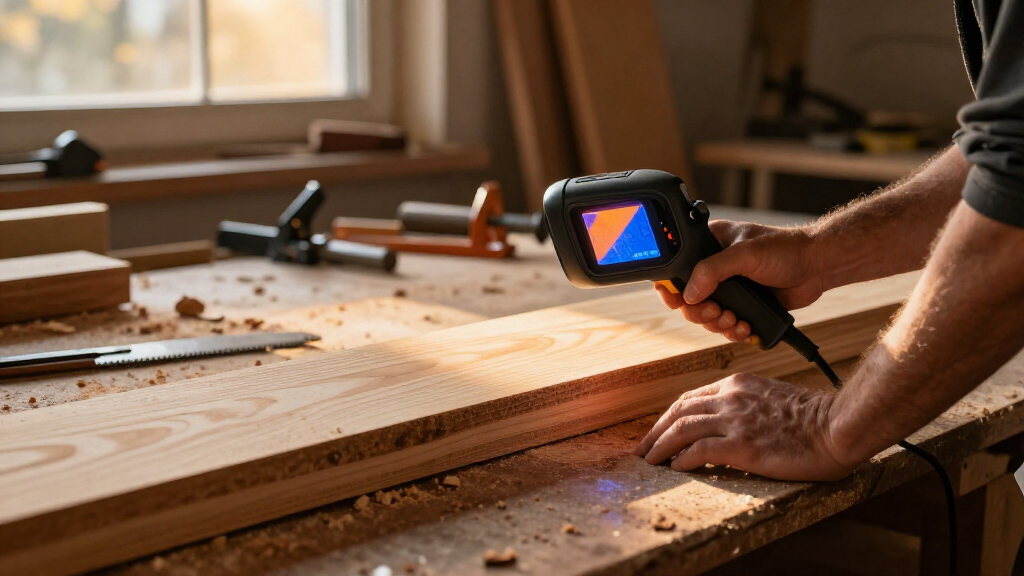

The best thermal imaging cameras balance useful image detail, straightforward operation, and features that suit the job. I’d put the HSFTOOLS F2VW first for its visual camera and 640 × 480 super-resolution output, while the FLIR E6 Pro stands out for commercial inspection workflows and the FLIR C5 for compact, connected use. The main tradeoff is between resolution and workflow features, portability, and the specialized needs of a particular task. A higher-resolution image can help reveal smaller patterns, but it does not replace good measurement practices or a camera suited to the environment. Read on for the full breakdown, buying guidance, and picks by use case.

Get business pricing on tools and workshop supplies
- Business-only prices and quantity discounts
- Tax-exempt purchasing
- Multiple users, one account, clear invoices
Complete the kit


Key Takeaways
- The HSFTOOLS F2VW leads the all-purpose group: its visual camera and 640 × 480 super-resolution output make it a more versatile inspection choice than simpler handheld models.
- FLIR options separate by workflow: the E6 Pro and E6-XT are commercial inspection tools, while the smaller C5 and smartphone-linked Edge suit buyers who value portability and connected use.
- Resolution is only one part of image usefulness: scene context, visible-light assistance, focus, and the ability to interpret temperature patterns also affect how actionable an image is.
- Form factor changes the best fit: the handheld Thor002 models, compact FLIR C5, and smartphone-based FLIR Edge serve different preferences for screen size, carrying, and operation.
- Specialized features can outweigh general-purpose specs: the FLIR M232 is aimed at marine pan/tilt viewing, while the dual-lens AccuMEMS TT27D and scene-detection HSFTOOLS HF96V target more specific workflows.
| HSFTOOLS F2VW Thermal Camera with Visual Camera and 640×480 Super Resolution |  | Best for Image-Mode Flexibility | Thermal detector: 256×192 | Enhanced imaging output: 640×480 | Visual camera: 2 MP | VIEW LATEST PRICE | See Our Full Breakdown |
| HSFTOOLS P2W Wi-Fi Thermal Camera, 640 × 480 Super Resolution |  | Best for Rugged Everyday Inspections | Infrared detector: 256×192 | Super-resolution output: 640×480 | Display: 3.5-inch touchscreen | VIEW LATEST PRICE | See Our Full Breakdown |
| FLIR E6 Pro Commercial Thermal Imaging Camera |  | Best for Professional Reporting | IR resolution: 240×180 | Frame rate: 9 Hz | Display: 3-inch LCD | VIEW LATEST PRICE | See Our Full Breakdown |
| Klein Tools TI250 Thermal Imaging Camera |  | Best Compact Troubleshooting Camera | Resolution: 19,200 pixels | Temperature range: -4°F to 752°F (-20°C to 400°C) | Emissivity range: 0.01 to 0.99 | VIEW LATEST PRICE | See Our Full Breakdown |
| Thermal Master Thor002 Thermal Camera with 3.5-Inch IPS Screen |  | Best for Long Field Sessions | Thermal resolution: 512×384 enhanced from native 256×192 | Thermal sensitivity: 40 mK | Display: 3.5-inch IPS | VIEW LATEST PRICE | See Our Full Breakdown |
| AccuMEMS GT14S Thermal Imaging Camera with Thermometer Mode |  | Best for Temperature Spot Checks | Temperature range: -4°F to 1022°F | Thermal sensitivity: NETD < 50 mK | Temperature detection increment: 0.05°C | VIEW LATEST PRICE | See Our Full Breakdown |
| FLIR E6-XT Commercial Thermal Imaging Camera with Wi-Fi and MSX Technology |  | Best for Commercial Diagnostics | Thermal resolution: 240 × 180 pixels | Temperature range: -20°C to 550°C (-4°F to 1022°F) | Connectivity: Wi-Fi | VIEW LATEST PRICE | See Our Full Breakdown |
| FLIR C5 Compact Thermal Imaging Camera with Wi-Fi and MSX |  | Best Compact Standalone Camera | Thermal resolution: 160 × 120 pixels | Temperature range: -20 to 400°C (-4 to 752°F) | Visual still resolution: 5 MP | VIEW LATEST PRICE | See Our Full Breakdown |
| TOPDON TC004 Mini Thermal Imaging Camera |  | Best for Long-Runtime Field Checks | Infrared resolution: 128 × 128 | Enhanced resolution: 240 × 240 (TISR) | Field of view: 40° × 30° | VIEW LATEST PRICE | See Our Full Breakdown |
| FLIR Edge Wireless Bluetooth Thermal Imaging Camera for Smartphones |  | Best Smartphone Thermal Attachment | Native IR resolution: 80 × 60 | Super Resolution: 240 × 180 | Video capture resolution: 640 × 480 | VIEW LATEST PRICE | See Our Full Breakdown |
| Flagfront YXI96 Thermal Camera, 240 × 240 Resolution |  | Best for Rugged Home Inspections | Thermal resolution: 240 × 240 | Refresh rate: 25 Hz | Temperature range: -4°F to 1022°F | VIEW LATEST PRICE | See Our Full Breakdown |
| HSFTOOLS HF96V Thermal Imaging Camera with Visual Camera, Laser Pointer, and Intelligent Scene Detection |  | Best for Guided Home Diagnostics | Infrared sensor resolution: 96 × 96 pixels | Live super resolution: 240 × 240 pixels | Visual camera: 640 × 480 pixels | VIEW LATEST PRICE | See Our Full Breakdown |
| Thermal Master Thor002 Handheld Thermal Camera, 512 × 384 Resolution |  | Best for High-Detail Field Documentation | Thermal resolution: 512 × 384 | Visible-light camera: 2 MP | Display: 3.5-inch IPS, 640 × 480 | VIEW LATEST PRICE | See Our Full Breakdown |
| AccuMEMS TT27D Dual-Lens Wi-Fi Thermal Camera |  | Best Compact Dual-Imaging Pick | Thermal resolution: 640 × 480, AI-upscaled | Visual camera: 2 MP | Viewing modes: Visual, thermal, fusion, PIP, blending | VIEW LATEST PRICE | See Our Full Breakdown |
| FLIR M232 Marine Thermal IP Camera with Pan/Tilt (320×240, 9Hz) |  | Best for Marine Night Navigation | Thermal resolution: 320 × 240 | Detector: VOx microbolometer | Refresh rate: 9 Hz | VIEW LATEST PRICE | See Our Full Breakdown |
| thermal imaging camera | Temperature range | Weight |
|---|---|---|
| HSFTOOLS F2VW Thermal Camera w | -4°F to 1022°F | 2.07 lbs |
| HSFTOOLS P2W Wi-Fi Thermal Cam | -4°F to 752°F | — |
| FLIR E6 Pro Commercial Thermal | — | 1.3 pounds |
| Klein Tools TI250 Thermal Imag | -4°F to 752°F (-20°C to 400°C) | 8.6 ounces |
| Thermal Master Thor002 Thermal | -4°F to 1022°F | 4.2 pounds |
| AccuMEMS GT14S Thermal Imaging | -4°F to 1022°F | 240 g |
| FLIR E6-XT Commercial Thermal | -20°C to 550°C (-4°F to 1022°F) | 1.27 pounds |
| FLIR C5 Compact Thermal Imagin | -20 to 400°C (-4 to 752°F) | 190 g |
| TOPDON TC004 Mini Thermal Imag | -4°F to 842°F (-20°C to 450°C) | — |
| FLIR Edge Wireless Bluetooth T | — | 5.28 ounces |
| Flagfront YXI96 Thermal Camera | -4°F to 1022°F | — |
| HSFTOOLS HF96V Thermal Imaging | -4°F to 1022°F | — |
| Thermal Master Thor002 Handhel | -4°F to 1022°F | — |
| AccuMEMS TT27D Dual-Lens Wi-Fi | -4°F to 932°F | 8 ounces |
| FLIR M232 Marine Thermal IP Ca | — | 3.8 kg |
More Details on Our Top Picks
HSFTOOLS F2VW Thermal Camera with Visual Camera and 640×480 Super Resolution
The F2VW is a strong fit for inspections where thermal patterns need visible context: its 2 MP visual camera works with thermal, fusion, and picture-in-picture modes to help identify exactly which component is running hot. Its 3.2-inch screen, Wi-Fi sharing, temperature alarms, and scene detection make it more feature-rich for field diagnosis than the simpler Klein Tools TI250. The key distinction is that 640×480 is enhanced output; the underlying thermal detector is 256×192, so buyers should not treat that figure as native detail. Adjustable emissivity and multiple measurement points add practical control, but the stated temperature tolerance is ±3.6°F or ±2%, whichever is greater. Its 2.07-pound weight also makes it less appealing for long handheld rounds.
Pros:- Visual camera and four image modes help connect a thermal anomaly to its physical location.
- Wi-Fi, temperature alarms, and scene detection support faster field documentation and checks.
- Adjustable emissivity and multiple measurement points provide useful measurement control.
- Built-in flashlight, tripod mount, and carrying case add practical inspection support.
Cons:- The thermal detector is 256×192; 640×480 is AI-enhanced output rather than native sensor resolution.
- Temperature accuracy is stated as ±3.6°F or ±2%, whichever is greater.
- At 2.07 pounds, it is heavier than compact options such as the Klein Tools TI250.
Best for: Building inspectors and maintenance technicians who want visual and thermal views, wireless sharing, and configurable temperature alerts in one handheld tool.
Not ideal for: Buyers who need native high-resolution thermal detail, highly precise temperature readings, or a lightweight camera for extended handheld inspections.
- Thermal detector:256×192
- Enhanced imaging output:640×480
- Visual camera:2 MP
- Display:3.2-inch LCD
- Frame rate:25 Hz
- Temperature range:-4°F to 1022°F
- Connectivity and storage:Wi-Fi; 16 GB
- Weight:2.07 lbs
Our verdict“Choose the F2VW if visual context and flexible image modes matter more than native resolution or low handheld weight.”
HSFTOOLS P2W Wi-Fi Thermal Camera, 640 × 480 Super Resolution
The P2W puts durability and a guided touchscreen workflow ahead of headline sensor resolution. Its IP54-rated design and 6.6-foot drop-test rating suit job sites where a camera may face dust, splashes, or an accidental fall. Five image modes, a visual camera, temperature tracking, and configurable alerts give it more inspection flexibility than the compact Klein Tools TI250, while its 3.5-inch touchscreen makes settings and image review easier to access. As with the HSFTOOLS F2VW, the 640×480 figure comes from super-resolution processing over a 256×192 infrared detector, not a native 640×480 sensor. The tradeoff is a stated runtime of up to four hours, so it is less suited to long inspection shifts without a charging plan.
Pros:- IP54 protection and a 6.6-foot drop-test rating suit demanding work environments.
- Five image modes combine visual and thermal context for different inspection tasks.
- Touchscreen, Wi-Fi, and 16 GB eMMC storage support on-device review and sharing.
- Temperature tracking and configurable alerts help flag areas that need closer attention.
Cons:- Battery life is rated at up to four hours, limiting untethered use on longer rounds.
- The infrared detector is 256×192; 640×480 output uses super-resolution processing.
- Its temperature range tops out at 752°F, below the HSFTOOLS F2VW and Thermal Master Thor002.
Best for: Maintenance crews and contractors who need a touchscreen thermal camera with job-site protection, image-sharing tools, and alert-based checks.
Not ideal for: Inspectors who need a full-day battery, native 640×480 thermal capture, or a camera specified for temperatures above 752°F.
- Infrared detector:256×192
- Super-resolution output:640×480
- Display:3.5-inch touchscreen
- Thermal sensitivity:<40 mK
- Temperature range:-4°F to 752°F
- Battery life:Up to 4 hours
- Protection:IP54; drop-tested to 6.6 ft
- Connectivity and storage:Wi-Fi; 16 GB eMMC
Our verdict“Pick the P2W for a more rugged touchscreen workflow, but choose a longer-runtime or higher-temperature model for extended or hotter inspections.”
FLIR E6 Pro Commercial Thermal Imaging Camera
The E6 Pro is the more restrained, inspection-focused alternative to feature-heavy cameras such as the Thermal Master Thor002. Rather than emphasizing a large enhanced-resolution figure or extensive image modes, it pairs a 240×180 radiometric sensor with FLIR MSX image enhancement and Wi-Fi integration with FLIR Ignite Cloud. That combination makes it a considered choice for professionals who value organized thermal documentation and a recognized detector warranty. Its focus-free design keeps operation straightforward, but it also limits flexibility for close-up targets or distant details. The 9 Hz frame rate is another tradeoff: it is better suited to stationary building and equipment checks than tracking fast-moving heat sources. At 1.3 pounds, it is easier to carry than the 4.2-pound Thor002.
Pros:- MSX blends visible detail with thermal data to make inspection images easier to interpret.
- Wi-Fi integration with FLIR Ignite Cloud supports a professional image-documentation workflow.
- A 10-year detector warranty is a notable support feature for long-term professional use.
- At 1.3 pounds, it is lighter than the Thermal Master Thor002.
Cons:- The 9 Hz frame rate may appear laggy when tracking fast-moving subjects.
- Fixed focus limits flexibility for close-up and long-distance inspection targets.
- The listed sensor resolution is 240×180, below the enhanced output figures advertised for the HSFTOOLS cameras.
Best for: Professional building and equipment inspectors who prioritize radiometric images, cloud-based documentation, and a long detector warranty over advanced live-image features.
Not ideal for: Users who need a fast frame rate, adjustable focus, broad temperature-range specifications, or a camera for tracking moving targets.
- IR resolution:240×180
- Frame rate:9 Hz
- Display:3-inch LCD
- Focus:Focus-free, fixed focus
- Connectivity:Wi-Fi
- Battery life:4 hours
- Weight:1.3 pounds
- Warranty:2 years parts and labor; 10 years detector
Our verdict“Choose the E6 Pro for a professional FLIR documentation workflow and detector coverage, not for fast motion or flexible focusing.”
Klein Tools TI250 Thermal Imaging Camera
The TI250 earns its place by making quick thermal checks easy to carry out, not by matching the screen size or connectivity of the HSFTOOLS P2W. At 8.6 ounces and roughly three inches across, it is the most portable option in this group, while its 19,200-pixel resolution and adjustable emissivity give it useful detail and measurement control for common troubleshooting. Crosshairs and temperature alarms help focus attention on a specific hot or cold spot. Its USB-C connection handles image transfer, but there is no listed Wi-Fi workflow or visual camera to add context the way the F2VW does. Three palettes are also fewer than the seven or eight offered by several larger models. The built-in battery keeps the body compact, though it cannot be swapped in the field.
Pros:- Compact 8.6-ounce body is easier to carry between quick inspection tasks than the larger handheld models.
- 19,200-pixel resolution supports useful thermal-pattern checks.
- Adjustable emissivity helps adapt readings to different surface materials.
- Crosshairs, temperature alarms, and USB-C transfer provide practical troubleshooting tools.
Cons:- The built-in rechargeable battery is non-removable, so it must be charged as a complete unit.
- Three color palettes provide less viewing flexibility than the HSFTOOLS P2W or Thermal Master Thor002.
- No visual camera or Wi-Fi connectivity is listed, limiting context and wireless sharing.
Best for: Electricians, HVAC technicians, and facility staff who want a lightweight camera for quick checks of panels, vents, and equipment.
Not ideal for: Inspectors who need a visual camera, wireless sharing, many palette choices, or a removable battery for continuous field work.
- Resolution:19,200 pixels
- Temperature range:-4°F to 752°F (-20°C to 400°C)
- Emissivity range:0.01 to 0.99
- Color palettes:3
- Connectivity:USB-C
- Battery:Built-in rechargeable lithium polymer; non-removable
- Dimensions:3.18 × 3.11 × 1.03 inches
- Weight:8.6 ounces
Our verdict“Choose the TI250 for portable, straightforward spot checks; step up to the F2VW or P2W for visual overlays and wireless features.”
Thermal Master Thor002 Thermal Camera with 3.5-Inch IPS Screen
The Thor002 is the field-work pick for buyers who value a broad toolset and long runtime more than a light carry. Its up-to-10.5-hour runtime, IP54 protection, 2-meter drop-test rating, and 32 GB memory card give it a stronger setup for extended inspections than the HSFTOOLS P2W, whose listed battery life is up to four hours. Five imaging modes, six measurement points, and 8× digital zoom support detailed checks across varied targets, while the temperature range reaches 1022°F. The stated 512×384 resolution is enhanced from a native 256×192 sensor, so buyers should distinguish processed output from detector resolution. Fixed focus limits framing flexibility, and the listed 4.2-pound weight is a substantial burden for prolonged handheld use compared with the 1.3-pound FLIR E6 Pro.
Pros:- Up to 10.5 hours of runtime supports longer inspection days than the HSFTOOLS P2W.
- IP54 protection and a 2-meter drop-test rating suit field conditions.
- Five imaging modes, six measurement points, and 8× digital zoom offer flexible analysis.
- 32 GB storage and a temperature range up to 1022°F support extended, varied inspections.
Cons:- The listed 4.2-pound weight makes extended handheld use less comfortable than with the FLIR E6 Pro.
- 512×384 is enhanced output from a native 256×192 thermal sensor.
- Fixed focus limits flexibility when inspecting close or distant targets.
Best for: Field inspectors who need long operating time, multiple measurement points, rugged protection, and a high maximum temperature range.
Not ideal for: Technicians who carry a camera all day by hand, need adjustable focus, or require native 512×384 thermal resolution.
- Thermal resolution:512×384 enhanced from native 256×192
- Thermal sensitivity:40 mK
- Display:3.5-inch IPS
- Temperature range:-4°F to 1022°F
- Imaging modes:Pro-Mix, IR, Visible, IR-Fuse, PIP
- Runtime:Up to 10.5 hours
- Protection:IP54; drop-tested to 2 meters
- Storage and connectivity:32 GB memory card; Wi-Fi and USB
- Weight:4.2 pounds
Our verdict“Choose the Thor002 when runtime, ruggedness, and measurement tools outweigh its heavy body and fixed-focus design.”
AccuMEMS GT14S Thermal Imaging Camera with Thermometer Mode
The GT14S suits buyers who want thermal scanning and point-and-shoot temperature readings in one lightweight handheld camera. Its temperature range matches the FLIR E6-XT’s listed span, while customizable high and low alarms can flag unusual readings without requiring constant screen monitoring. Seven palettes and adjustable emissivity and distance settings add flexibility for different inspection tasks, though those adjustments may take some setup when switching materials. Compared with the FLIR C5, the GT14S gives up Wi-Fi image sharing and the C5’s visual-image features, but it offers a longer stated battery runtime and a dedicated thermometer mode. Its 50° field of view is useful for scanning broader areas; the tradeoff is that the listed range starts at -4°F, ruling out colder readings.
Pros:- Combines live thermal imaging with point-and-shoot thermometer readings.
- Customizable high and low temperature alarms can call attention to anomalies.
- Lightweight body with a non-slip grip and button controls.
- Rechargeable battery is rated for up to 14 hours of use.
Cons:- The temperature range begins at -4°F, limiting use in colder conditions.
- Emissivity and distance settings may need adjustment for different materials.
- No Wi-Fi or cloud workflow is listed, unlike the FLIR C5 and FLIR E6-XT.
Best for: Home inspectors and maintenance technicians who want a lightweight camera for locating hot or cold spots and checking their temperatures on the spot.
Not ideal for: Teams that need cloud-based image sharing, detailed visual overlays, or measurements below -4°F.
- Temperature range:-4°F to 1022°F
- Thermal sensitivity:NETD < 50 mK
- Temperature detection increment:0.05°C
- Field of view:50°
- Color palettes:7
- Battery capacity:2500 mAh
- Battery life:Up to 14 hours
- Weight:240 g
- Warranty:1 year
Our verdict“Choose the GT14S if you want a lightweight thermal camera with direct temperature checks and alarms, rather than connected reporting features.”
FLIR E6-XT Commercial Thermal Imaging Camera with Wi-Fi and MSX Technology
For building, electrical, and mechanical troubleshooting, the E6-XT’s strongest case is its 240 × 180 thermal resolution paired with MSX detail overlays. That combination gives diagnostic images more context than the FLIR C5’s 160 × 120 thermal resolution, which can help users identify where a temperature pattern sits on a piece of equipment or a building surface. Wi-Fi and FLIR Ignite integration also make it a better fit for crews that need to store and share findings from the field. The broad -4°F to 1022°F range matches the AccuMEMS GT14S’s stated span, but the E6-XT adds a connected reporting workflow rather than the GT14S’s separate thermometer mode. Its larger, heavier handheld body and reliance on FLIR software are tradeoffs for buyers who want a simpler or more compact camera.
Pros:- 240 × 180 thermal resolution provides more image detail than the FLIR C5.
- MSX overlays visual detail to help locate thermal patterns on real surfaces.
- Wi-Fi and FLIR Ignite support image storage and sharing from the field.
- Warranty includes 10 years on the thermal detector.
Cons:- At 1.27 pounds, it is less portable than the FLIR C5 or FLIR Edge.
- Full reporting functionality depends on FLIR software and Ignite.
- Plastic construction may be less suited to harsh handling than a metal-bodied camera.
Best for: Building inspectors, electricians, and maintenance teams who need higher-resolution thermal images and a workflow for sharing field findings.
Not ideal for: Casual users seeking a pocketable camera or anyone who wants to avoid FLIR’s software and cloud workflow.
- Thermal resolution:240 × 180 pixels
- Temperature range:-20°C to 550°C (-4°F to 1022°F)
- Connectivity:Wi-Fi
- Image technology:MSX
- Weight:1.27 pounds
- Battery:Rechargeable Li-Ion
- Dimensions:3.7 × 9.6 × 5.5 inches
- Warranty:2 years parts and labor; 10 years on thermal detector
Our verdict“Pick the E6-XT for commercial inspections where thermal detail and connected reporting matter more than compact size or a simple interface.”
FLIR C5 Compact Thermal Imaging Camera with Wi-Fi and MSX
The FLIR C5 puts thermal imaging, a built-in screen, and Wi-Fi sharing into a compact standalone camera, so it does not depend on a smartphone display like the FLIR Edge. Its MSX overlays and 5 MP visual stills can make inspection images easier to interpret and share, while the 3.5-inch screen lets users review results directly on the device. The tradeoff is its 160 × 120 thermal resolution: the FLIR E6-XT offers 240 × 180 pixels for users who need finer thermal detail. Fixed focus also limits flexibility for close or varied-distance shots, though a stated macro focus range of 0.3 m gives some guidance for nearby targets. The C5 is a practical middle ground for technicians who want a self-contained camera and connected reports without carrying a larger commercial unit.
Pros:- Compact handheld design includes a 3.5-inch screen.
- MSX and 5 MP visual stills add context to thermal images.
- Wi-Fi and FLIR Ignite support uploading and sharing inspection files.
- Warranty includes 10 years on the thermal detector.
Cons:- 160 × 120 thermal resolution is lower than the FLIR E6-XT’s 240 × 180.
- Fixed focus limits control over image sharpness at different distances.
- Its temperature range tops out at 752°F, below the GT14S and E6-XT.
Best for: Inspectors and repair technicians who want a compact standalone camera with its own screen, visual context, and Wi-Fi image sharing.
Not ideal for: Buyers who need the higher thermal resolution of the FLIR E6-XT or adjustable focus for varied working distances.
- Thermal resolution:160 × 120 pixels
- Temperature range:-20 to 400°C (-4 to 752°F)
- Visual still resolution:5 MP
- Video resolution:1080p
- Screen:3.5 inches
- Connectivity:Wi-Fi
- Focus:Fixed focus; macro focus range 0.3 m
- Weight:190 g
- Warranty:2 years parts and labor; 10 years on detector
Our verdict“Choose the C5 if you want a portable, self-contained camera with image-sharing tools and can accept lower thermal resolution than the E6-XT.”
TOPDON TC004 Mini Thermal Imaging Camera
The TC004 Mini is built for field checks where long runtime, automatic capture, and a tougher housing matter more than a high native sensor count. TOPDON lists a 128 × 128 infrared sensor, enhanced to 240 × 240 with TISR; that enhancement may produce a larger-looking image, but it is not the same as capturing native 240 × 240 thermal detail. Its temperature alerts and automatic photo capture can save records when readings cross set limits, and up to 15 hours of battery life outlasts the FLIR Edge’s two-hour runtime. The Edge, by comparison, offers smartphone-based MSX overlays and flexible wireless positioning. The TC004 Mini has its own storage for up to 8,000 photos, IP54 protection, and stated drop resistance, but its listed weight of 1.03 pounds is less pocket-friendly than the “Mini” name suggests.
Pros:- TISR enhances 128 × 128 infrared images to 240 × 240 output.
- Temperature alerts can trigger automatic photo capture.
- Up to 15 hours of runtime and storage for up to 8,000 photos.
- IP54 protection and stated drop resistance up to 2 meters.
Cons:- The 240 × 240 figure is enhanced resolution, not the native sensor resolution.
- A charging cable is included, but a charging head is not.
- At 1.03 pounds, it is heavier than the FLIR C5 and FLIR Edge.
Best for: Field technicians who want a standalone thermal camera with automatic alert captures, onboard photo storage, and extended battery runtime.
Not ideal for: Buyers who need native 240 × 240 thermal resolution, detailed cloud reporting, or a very lightweight pocket camera.
- Infrared resolution:128 × 128
- Enhanced resolution:240 × 240 (TISR)
- Field of view:40° × 30°
- Refresh rate:25 Hz
- Temperature range:-4°F to 842°F (-20°C to 450°C)
- Temperature accuracy:±3.6°F or 2%
- Storage:512 MB eMMC; up to 8,000 photos
- Battery life:Up to 15 hours
- Drop resistance:Up to 2 meters
Our verdict“The TC004 Mini fits field users who value automatic records and long runtime, but buyers focused on native image detail should look elsewhere.”
FLIR Edge Wireless Bluetooth Thermal Imaging Camera for Smartphones
The FLIR Edge is the lineup’s phone-first option: Bluetooth connection and wireless positioning let users place the camera in tight or awkward spaces while viewing the result on a compatible iOS or Android device. Its Super Resolution output of 240 × 180 and MSX image overlay add useful context, but the native infrared sensor is only 80 × 60, so the enhanced output should not be confused with native detail from the standalone FLIR E6-XT. That distinction matters for users documenting fine thermal patterns. The Edge is also much lighter than the E6-XT, and its stated water resistance and 2-meter drop rating suit rougher day-to-day handling. The main compromise is endurance: its two-hour battery life is far shorter than the TOPDON TC004 Mini’s up-to-15-hour runtime, making it better for short inspections than extended rounds.
Pros:- Bluetooth connection supports flexible camera placement around tight spaces.
- MSX and Super Resolution add visual context to the native thermal image.
- Compatible with iOS and Android smartphones and tablets.
- Water-resistant design with stated drop resistance up to 2 meters.
Cons:- Native IR resolution is 80 × 60, below the FLIR E6-XT’s 240 × 180.
- Two-hour battery life is much shorter than the TOPDON TC004 Mini’s listed runtime.
- Fixed focus and aperture limit manual control over image capture.
Best for: Smartphone users who want a lightweight thermal attachment for brief inspections, awkward viewing angles, and image capture on their existing device.
Not ideal for: Technicians who need long battery life, a standalone screen, or higher native thermal resolution for detailed diagnostics.
- Native IR resolution:80 × 60
- Super Resolution:240 × 180
- Video capture resolution:640 × 480
- Connectivity:Bluetooth
- Temperature accuracy:±3°C or ±5%
- Battery life:2 hours
- Water resistance:Water resistant
- Drop resistance:Up to 2 meters
- Weight:5.28 ounces
Our verdict“Pick the FLIR Edge if you want a compact phone-connected camera for short, flexible inspections, not a long-running standalone diagnostic tool.”
Flagfront YXI96 Thermal Camera, 240 × 240 Resolution
The Flagfront YXI96 is a practical pick for homeowners and maintenance workers who want a dedicated handheld camera with a stated 240 × 240 resolution, rather than a phone attachment or a lower-resolution sensor relying on upscaling. Its high and low temperature alarms can draw attention to suspicious hot spots during a scan, while adjustable emissivity and distance settings give users more control over readings. Compared with the HSFTOOLS HF96V, the Flagfront lists its 240 × 240 resolution directly, while the HF96V adds a visual camera and scene detection. The YXI96 counters with 6.6-foot drop resistance and IP54 protection, but its stated accuracy is within 2% and its temperature range ends at 1022°F. Choose it for straightforward building, vehicle, or circuit checks; skip it if visual documentation or automated fault suggestions matter more.
Pros:- Directly stated 240 × 240 thermal resolution avoids relying on a listed software-upscaled figure.
- High and low temperature alarms help flag unusual readings during a scan.
- IP54 rating and 6.6-foot drop resistance suit work around homes, vehicles, and equipment.
- Six palettes and a 50° field of view offer flexibility for viewing different scenes.
Cons:- Temperature accuracy is specified as within 2%, rather than as a fixed temperature tolerance.
- The -4°F to 1022°F range may not cover unusually hot industrial applications.
- No visual camera or image documentation features are listed.
Best for: Homeowners, vehicle technicians, and maintenance staff who want a rugged handheld camera for locating temperature differences during routine inspections.
Not ideal for: Inspectors who need a paired visual image, automated leak detection, or a temperature range beyond 1022°F.
- Thermal resolution:240 × 240
- Refresh rate:25 Hz
- Temperature range:-4°F to 1022°F
- Temperature accuracy:Within 2%
- Field of view:50°
- Color palettes:6
- Protection:IP54; drop resistant to 6.6 feet
- Power:Battery powered; one lithium-ion battery included
Our verdict“Choose the YXI96 for a rugged, straightforward handheld inspection camera, but pick the HSFTOOLS HF96V if you want visual imaging and scene-recognition tools.”
HSFTOOLS HF96V Thermal Imaging Camera with Visual Camera, Laser Pointer, and Intelligent Scene Detection
The HF96V suits homeowners who would rather get help identifying common building problems than interpret every thermal pattern on their own. Its IntellFault scene recognition is designed to identify issues such as water leaks and insulation gaps, and the visual camera and laser pointer add context when locating a spot for follow-up. The thermal sensor itself is 96 × 96; live software processing raises the displayed image to 240 × 240, which is not the same as capturing native 240 × 240 thermal detail. That distinction puts it behind the Flagfront YXI96 for stated sensor resolution, but the HSFTOOLS offers a more guided inspection workflow. IP54 protection and an 11-hour battery life support longer sessions. Skip it if you need high native thermal resolution or rely on Mac software, since HSF Studio is Windows-only.
Pros:- Intelligent scene detection is designed to flag common leak and insulation patterns.
- Visual camera and laser pointer help connect thermal findings to physical locations.
- Live super-resolution processing presents a 240 × 240 image from the 96 × 96 sensor.
- IP54 protection and stated 11-hour battery life support extended inspection work.
Cons:- The underlying infrared sensor is 96 × 96, with the higher displayed resolution produced through processing.
- Temperature accuracy is specified as ±3.6°F.
- HSF Studio is limited to Windows PCs.
Best for: Homeowners and property-maintenance workers who want automated prompts for common insulation and moisture issues, plus visual context for inspection notes.
Not ideal for: Thermal professionals who need high native sensor resolution, or Mac users who need the supplied HSF Studio software.
- Infrared sensor resolution:96 × 96 pixels
- Live super resolution:240 × 240 pixels
- Visual camera:640 × 480 pixels
- Frame rate:25 Hz
- Temperature range:-4°F to 1022°F
- Temperature accuracy:±3.6°F
- Battery life:Up to 11 hours
- Protection:IP54; 6.6-foot drop resistance
- Connectivity and software:USB-C/USB-A; HSF Studio for Windows
Our verdict“Pick the HF96V if guided home diagnostics and visual context matter more than native thermal detail; for a stated 240 × 240 sensor, consider the Flagfront YXI96.”
Thermal Master Thor002 Handheld Thermal Camera, 512 × 384 Resolution
The Thermal Master Thor002 stands out for buyers who need more thermal detail and a record of what they find. Its 512 × 384 sensor is a meaningful step up from the Flagfront YXI96’s 240 × 240 resolution, making this the stronger choice for distinguishing smaller temperature patterns across a scene. A 2 MP visual camera, 32 GB of storage, photo and video capture, and voice notes turn inspections into documented records rather than a scan that exists only on the display. It also supports USB and Wi-Fi connectivity, plus measurements across six points. The tradeoff is portability: at 3.12 pounds, it is heavier than the compact AccuMEMS TT27D, and its stated accuracy is ±3.6°F. This is better suited to planned inspection sessions than frequent one-handed checks.
Pros:- 512 × 384 thermal resolution provides more sensor detail than the Flagfront YXI96.
- 2 MP visible-light camera and recording tools help document inspection findings.
- 32 GB storage, Wi-Fi, USB, and voice notes support organized field records.
- IP54 protection and 2-meter drop resistance suit worksite use.
Cons:- At 3.12 pounds, it is substantially heavier than compact options such as the AccuMEMS TT27D.
- Temperature accuracy is specified as ±3.6°F.
- Its handheld size and weight are less convenient for prolonged overhead scanning.
Best for: Building inspectors, equipment technicians, and contractors who need higher thermal detail and stored visual or voice documentation for reports.
Not ideal for: Buyers who prioritize a lightweight camera for frequent overhead or one-handed scanning, or who need tighter stated temperature accuracy.
- Thermal resolution:512 × 384
- Visible-light camera:2 MP
- Display:3.5-inch IPS, 640 × 480
- Thermal sensitivity:40 mK
- Temperature range:-4°F to 1022°F
- Temperature accuracy:±3.6°F
- Storage:32 GB
- Battery life:Up to 10.5 hours
- Weight and protection:3.12 pounds; IP54; drop resistant to 2 meters
Our verdict“Choose the Thor002 when thermal detail and inspection records outweigh portability; for a much lighter camera, the AccuMEMS TT27D is easier to carry.”
AccuMEMS TT27D Dual-Lens Wi-Fi Thermal Camera
At just 8 ounces, the AccuMEMS TT27D is the lineup’s clearest fit for technicians who want a compact camera that can switch between thermal, visual, and combined views. Its five viewing modes—including fusion, picture-in-picture, and blending—help connect a heat pattern to the object producing it. Wi-Fi streaming and remote control add flexibility when the camera is positioned away from the operator, while the touchscreen, LED, and file storage round out a portable inspection kit. The key caveat is that its stated 640 × 480 thermal resolution is AI-upscaled, so buyers seeking native sensor detail should favor the Thermal Master Thor002, which lists a 512 × 384 thermal sensor. The TT27D also has a narrower upper temperature limit of 932°F and stated accuracy of ±3.6°F.
Pros:- Eight-ounce body is easier to carry and position than the 3.12-pound Thermal Master Thor002.
- Five viewing modes help relate thermal patterns to visible objects.
- Wi-Fi supports app-based streaming and remote control.
- Touchscreen, built-in LED, and storage for over 5,500 files support portable inspection work.
Cons:- The listed 640 × 480 thermal resolution is AI-upscaled, not identified as native sensor resolution.
- Temperature range tops out at 932°F, below the 1022°F limit listed for the Thor002.
- Temperature accuracy is specified as ±3.6°F.
Best for: Mobile maintenance technicians and home inspectors who value a lightweight dual-imaging camera, app-based control, and several ways to combine thermal and visual scenes.
Not ideal for: Buyers who require clearly specified native thermal resolution, a temperature range above 932°F, or tighter stated temperature accuracy.
- Thermal resolution:640 × 480, AI-upscaled
- Visual camera:2 MP
- Viewing modes:Visual, thermal, fusion, PIP, blending
- Frame rate:25 Hz
- Temperature range:-4°F to 932°F
- Temperature accuracy:±3.6°F
- Display:3.5-inch touchscreen, 640 × 480
- Connectivity and storage:Wi-Fi; 4 GB; supports over 5,500 files
- Weight:8 ounces
Our verdict“Choose the TT27D for lightweight dual-imaging and wireless control, but choose the Thor002 if native thermal resolution is your priority.”
FLIR M232 Marine Thermal IP Camera with Pan/Tilt (320×240, 9Hz)
The FLIR M232 is not a general-purpose handheld camera; it is a fixed-installation thermal system for boaters who need a wider view of nearby water in darkness or poor visibility. Its continuous 360-degree pan and adjustable tilt let an operator scan around the vessel without moving the camera, while Ethernet IP video connects it to compatible displays and multifunction displays. That marine-first design separates it from handheld options such as the Thermal Master Thor002, which offers higher 512 × 384 resolution and inspection recording but is not specified for pan-and-tilt navigation. The M232’s 9 Hz refresh rate may make moving targets appear less fluid than on 25 Hz handhelds, and its 2× zoom is electronic rather than optical. It also requires a compatible wired display, so this is a specialized boat installation, not a flexible home-inspection tool.
Pros:- Continuous 360-degree pan and adjustable tilt support broad scanning from a fixed marine installation.
- 320 × 240 VOx thermal core supports night and poor-visibility viewing.
- Ethernet IP video allows integration with compatible displays without a separate video signal cable.
- 12V DC power and a stated 3-watt draw suit onboard installation.
Cons:- The 9 Hz refresh rate may show less fluid motion than the 25 Hz handheld cameras in this lineup.
- Electronic 2× zoom can reduce image clarity at maximum magnification.
- Requires compatible Ethernet-enabled displays and a fixed installation; it is not a standalone handheld camera.
Best for: Boat owners with compatible Ethernet-enabled displays who need a mounted thermal view for spotting vessels, people, and obstacles at night.
Not ideal for: Home inspectors, handheld-camera shoppers, or boaters without a compatible Ethernet display and installation setup.
- Thermal resolution:320 × 240
- Detector:VOx microbolometer
- Refresh rate:9 Hz
- Field of view:24° × 18°
- Pan and tilt:360° continuous pan; +110° to -90° tilt
- Zoom:2× electronic
- Video and connectivity:H.264 IP video; wired Ethernet
- Power:12V DC, 3 watts
- Weight:3.8 kg
Our verdict“Choose the M232 for a compatible boat’s mounted night-navigation setup, not for portable inspections or smooth high-speed motion tracking.”
How We Picked
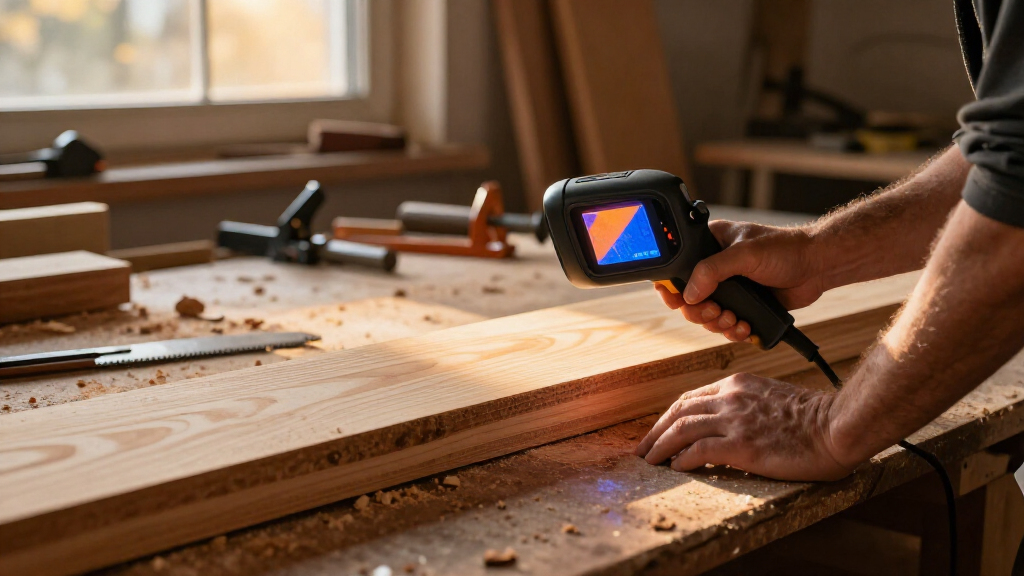
I compared these 15 cameras through the lens of practical thermal inspection: image detail, visible-scene context, measurement and workflow features, handling, connectivity, and fit for the stated use. I gave extra weight to features that help a buyer interpret and act on a thermal image, rather than treating resolution alone as a guarantee of better results. I also separated general-purpose handheld cameras from compact, smartphone-connected, commercial, and marine models, since those categories solve different problems.
The ranking favors versatile tools that can serve a broad range of inspection tasks, then places more specialized products according to how well their features match a defined buyer need. A camera with advanced connectivity or a larger display may be a better choice for one workflow without being the best general pick. I also considered the limits implied by each design: a compact or phone-linked camera prioritizes portability, while a dedicated handheld or marine unit prioritizes a different style of operation. Because listed specifications do not establish real-world accuracy or performance in every setting, I avoid treating headline resolution as a substitute for checking measurement requirements, operating conditions, and documentation needs.
Factors to Consider When Choosing Best Thermal Imaging Cameras
Thermal cameras are easy to compare by resolution and harder to compare by how well they fit a real task. Before choosing, I’d define what you need to find, how you’ll record or share it, and whether you need temperature readings or mainly visual screening. These distinctions can prevent paying for features that will not change your work.
Match resolution to the size and distance of the target
Resolution matters most when the camera must separate small thermal features or inspect a target from farther away. A detailed image can show more spatial information, but it does not automatically make a measurement accurate or make a small target fill enough of the frame. Think about the smallest area you need to identify and the usual distance between you and it. For broad checks of walls or equipment, a lower-resolution device may still reveal useful temperature patterns. For fine inspection, compare the detector resolution and the camera’s stated super-resolution method rather than judging by a single marketing number. Avoid paying for extra pixels if the job is mainly locating large hot or cold areas.
Decide whether you need temperature readings or screening
Some buyers need to locate a temperature difference; others need a reading they can use in a report or follow-up decision. Those are not the same task. Check the camera’s measurement modes, stated accuracy, temperature range, and the conditions under which those figures apply. Surface material, reflections, distance, and emissivity can all affect readings, so a sophisticated camera cannot remove the need to set up measurements properly. If you need to document results, check whether images retain readings and whether the export process fits your workflow. For basic screening, prioritize a clear image and simple operation over features meant for formal measurement work.
Look for scene context that makes images easier to interpret
A thermal image shows temperature patterns, not ordinary visual detail, so context can be as useful as raw thermal resolution. A visual camera, image blending, or other scene-assistance feature can help identify which pipe, panel, or building feature appears warm. This can reduce confusion when images are revisited later or shared with someone who was not present. Buyers should still check how the camera presents thermal and visible information; feature names alone do not tell you whether the result will suit your reporting style. If your work involves documenting inspections, ask whether the camera saves both types of image and whether they are easy to retrieve. For quick checks where you recognize the scene, a simpler display may be enough.
Choose a form factor that fits your workday
A dedicated handheld camera offers an integrated screen and controls, while a compact model or smartphone-connected camera can be easier to carry. Those choices affect more than convenience: they shape how quickly you can aim, review an image, and keep working with gloves or in awkward positions. A larger screen may help when checking details on site, but it adds bulk. A phone-linked unit can reduce the amount of equipment you carry, though it depends on a compatible phone and a workflow that works well with the app. Before buying, check battery arrangements, charging, grip, screen visibility, and the manufacturer’s compatibility information. Choose for the conditions you actually work in rather than the smallest device on paper.
Treat connectivity and reporting as workflow features
Wi-Fi and app support can make it easier to transfer images, share findings, or keep records, but wireless features do not automatically create a useful report. Check what the camera can save, what file formats it uses, and whether the app supports the steps you need after capture. Consider whether you can work without a network connection and how files are stored or shared. For a solo homeowner, quick image transfer may be enough; a trade professional may need consistent documentation across jobs. A camera with a less elaborate connection setup can be the better choice if it keeps capture and review simple. Confirm compatibility and software support before making the phone or tablet part of your plan.
Pay for specialized hardware only when the job calls for it
Marine pan/tilt hardware, dual-lens designs, laser pointers, and scene detection address particular inspection needs rather than improving every use equally. A marine camera is not a substitute for a general handheld unit, and a feature designed to speed one kind of inspection may add little value elsewhere. Write down the problem you want to solve and identify which feature directly changes how you will perform that task. Also check mounting, environmental suitability, power, and installation requirements for equipment that will stay in place. For occasional home checks, a general-purpose camera may cover more situations with less setup. Paying more makes sense when a specialized feature saves time, adds access, or supports a necessary operating environment.
Frequently Asked Questions
Is a 640 × 480 super-resolution camera automatically better than a lower-resolution thermal camera?
No. A higher stated output resolution can show more image detail, but buyers should check whether it describes the thermal detector or a super-resolution processing mode. The target’s size, distance, focus, and the camera’s measurement capabilities also shape what the image can tell you. For locating broad insulation gaps or hot equipment, a simpler camera may be adequate. For small features or documentation, added detail may help, provided the rest of the workflow supports the task. Compare the full specifications and intended use rather than choosing by the largest number alone.
Should I choose a camera with a visual camera or MSX-style image assistance?
Choose one if identifying the exact object behind a thermal pattern is part of your work. Visible-light context can make saved images easier to interpret and share, especially when someone else will review them later. It does not improve the thermal measurement itself, and it cannot replace a clear capture or sound interpretation. If you inspect familiar equipment and only need to locate temperature differences, you may prefer to spend more attention on measurement modes or handling. For reports and repeat inspections, check how the camera combines or stores visible and thermal images.
Is a smartphone thermal camera a good choice for professional inspections?
It can suit professionals who prioritize portability and already have a compatible phone, but the phone-based workflow should fit the job. Check device compatibility, app support, battery demands, file export, and whether you can operate it comfortably where you inspect. A dedicated handheld may be easier when you need an integrated screen, controls, or a device that remains ready independently of your phone. Also confirm that the measurement specifications meet your reporting requirements. The right choice depends less on the phone connection itself and more on how reliably you can capture and manage inspection records.
Do I need a marine thermal camera for use on a boat?
A fixed marine camera with pan/tilt is aimed at a different job from a handheld inspection camera. It makes sense when you need a mounted thermal view for marine use, rather than occasional checks of wiring, engines, or onboard equipment at close range. Before buying, review installation, power, viewing controls, environmental suitability, and how the camera integrates with your vessel’s display setup. A handheld unit may be more useful for maintenance inspections, but it will not offer the same mounted viewing arrangement. Choose based on whether your main task is navigation-oriented viewing or hands-on equipment inspection.
What should I verify before relying on a thermal camera for a report or diagnosis?
Check the stated temperature accuracy, measurement range, emissivity options, focus or distance limits, and the camera’s image-saving capabilities. Confirm that the target and environmental conditions suit the device’s specifications; reflective surfaces and changing conditions can distort interpretation. Review whether saved files preserve readings and whether the format works with your reporting process. For consequential building, electrical, or mechanical decisions, treat thermal imaging as one source of evidence and follow the relevant inspection procedures. A detailed image alone does not certify a diagnosis.
Conclusion
For a broad mix of home and trade inspections, I’d choose the HSFTOOLS F2VW as the best overall because its visual camera and 640 × 480 super-resolution output provide a versatile starting point. The best value depends on the task: buyers who need a straightforward handheld should compare the Klein Tools TI250 and AccuMEMS GT14S against their measurement needs rather than paying for unused workflow extras. For best premium commercial use, the FLIR E6 Pro is the stronger fit for buyers who want a dedicated inspection tool; the E6-XT is another commercial option to compare. The FLIR C5 is a sensible direction for buyers who want a compact connected camera, while the FLIR Edge suits those who prefer a smartphone-based setup. For specialized needs, choose the FLIR M232 for marine pan/tilt viewing, the AccuMEMS TT27D for a dual-lens design, or the HSFTOOLS HF96V if its scene-detection features match your inspection routine. Start with the task, then select the camera whose image, measurement, and handling features support it.