
TL;DR

Get business pricing on tools and workshop supplies
- Business-only prices and quantity discounts
- Tax-exempt purchasing
- Multiple users, one account, clear invoices
Cordless power tools usually fail from preventable neglect, not wear: heat-killed batteries, dust-choked vents, and damp storage. Charge lithium-ion packs at 20–30%, pull them off the charger when full, store them at 40–60% charge in a cool dry spot, and clean vents and contacts monthly. Those habits alone can double a tool’s usable life.
Some cordless drills are nine years old and still running strong — and some eighteen-month-old tools are ready for the scrap bin. The difference is rarely the brand. It’s maintenance. Or the total lack of it.
Here’s the part most people miss: the tool itself rarely dies first. The battery is almost always the first failure point, and it fails because of how it’s charged, stored, and ignored. Heat and deep discharges kill lithium-ion cells faster than any jobsite abuse.
This guide gives you a complete, practical overview of the most important aspects of maintaining cordless power tools — battery care, cleaning, lubrication, storage, and knowing when a part is done. No product roundups, no fluff. Just the habits that keep a fleet of tools alive through decades of renovation work.
Store lithium-ion batteries at 40–60% charge in a cool, dry place — proper battery maintenance alone can double or triple a cordless tool’s usable life.
Charge at 20–30% remaining, pull the pack off the charger when full, and never charge a pack that’s still warm from use.
Clean vents with compressed air after dusty jobs and run a 10-minute monthly inspection for cracks, loose fasteners, and corroded contacts — battery out first,…
Re-grease gearcases every 12–24 months on drills and hammer drivers, and replace carbon brushes on brushed motors at roughly 50% wear.
Replace a tool when repair exceeds half its replacement cost or its battery platform is discontinued; rent specialty tools for one-off jobs instead of buying.
Never leave batteries or tools in a vehicle overnight — heat and freezing both permanently damage lithium-ion cells.
How to Properly Maintain Cordless Power Tools for Longevity
Cordless tools usually fail from preventable neglect, not wear: heat-killed batteries, dust-choked vents, and damp storage. Charge lithium-ion packs at 20–30%, pull them off the charger when full, store them at 40–60% charge in a cool dry spot, and clean vents and contacts monthly.
The 5 Habits That Double Your Tool’s Life
Lithium-ion cells have two mortal enemies: heat and deep discharge. A pack left in a hot truck cab in July loses capacity permanently. Run to dead-zero every job and you’re eating cycle life. This routine works on every jobsite pack.
Charge at 20–30% Remaining
Frequent full discharges shorten lithium-ion life. Charge when the gauge dips to roughly a quarter — not at dead-zero.
Unplug When Full
Smart chargers stop the current at top-off, but heat still builds while the pack sits docked. Pull it off the charger.
Store at 40–60% Charge
If a tool sits unused for a month or more, full-charge storage stresses the cells. Half-charge keeps chemistry calm.
Keep It Cool and Dry
Roughly 50–77°F, out of direct sun, never in a freezing garage over winter. Heat and freezing both permanently damage cells.
Clean Contacts Monthly
Use a dry cloth or soft brush. Corroded, dusty contacts mean voltage drop, heat, and phantom runtime loss.
Never Charge a Warm Pack
Let it cool to room temperature first. Rule of thumb: too warm to hold against your wrist is too warm to charge.
The 10-Minute Monthly Routine
Dust is the silent killer. Fine drywall and concrete dust packs into motor vents and chokes airflow like a clogged furnace filter — a motor that can’t breathe runs hot. Always remove the battery before cleaning anything.
| Check Point | What to Look For | Action / Frequency |
|---|---|---|
| Motor vents | Packed drywall or concrete dust blocking airflow | ✓ Compressed air or soft brush after every dusty job — 30 seconds |
| Housing cracks | Damage around the chuck and battery mount, where drops land the force | ✓ Monthly visual inspection; replace cracked housings |
| Fasteners | Vibration backs screws out constantly | ✓ Tighten per manual’s torque spec, monthly |
| Chuck runout | Wobble when spun by hand means bent shaft or worn jaws | ~ Service chuck or replace tool if severe |
| Contacts & terminals | Green corrosion or blackened battery contacts | ✓ Dry cloth or soft brush, monthly |
| Trigger response | Sticky or intermittent trigger — a switch on its way out | ~ Replace switch before full failure |
| Blades & bits | Dull blades force higher current draw, more heat, less runtime | ✓ Keep sharp — a fresh $15 blade restores “lost” runtime |
| Harsh solvents / water | Solvents attack housing plastics and wick into the motor | ✗ Never. Damp cloth and gentle brushes only |
Why Overloading Kills More Tools Than Age
A compact 12V drill is not a hole hawg. Overloading, wrong-tool mistakes, and overheating account for more premature deaths than old age ever will. Work the chain in order:
Reach Speed First
Let the tool hit RPM before contact — starting under load spikes current draw.
Steady Pressure, Not Force
Forcing a bit bogs the motor and dulls the bit. Let the tool do the work.
Sharp, Rated Accessories
Carbide-tipped blades and quality bits cut cooler and draw less current.
Cooling Breaks
Can’t hold your palm on the housing? Stop. Repeated thermal cutoffs shorten motor life.
Right Tool Class
Pro-grade and DIY-grade tools have different limits — know which one you’re holding.
What to Grease — and What to Replace
Lubrication and timely parts replacement extend tool life far beyond the warranty window. Follow the intervals, watch the wear markers.
Re-grease gearcases every 12–24 months
Use the manufacturer-specified grease. Old grease breaks down under heat, and metal-on-metal wear follows fast once it’s gone.
Replace carbon brushes at ~50% wear
Waiting until they’re fully worn risks armature damage — a far more expensive repair than a set of brushes.
Replace worn seals and bearings promptly
Failed seals let dust into the gearcase; worn bearings put lateral load on the shaft. Both cascade into bigger failures.
Modern packs include BMS health monitoring
Smart battery management systems track cell health, and some tools now offer storage modes that optimize charge state automatically.
Same Chemistry, Different Outcomes
A pack stored fully charged in a warm location loses capacity dramatically faster than an identical pack stored at half charge in a cool spot. Relative capacity retention over one year of storage:
Repair or Replace? Three Simple Rules
A tool eventually reaches the end of economic sense. These thresholds keep the decision simple — and keep specialty one-off jobs off your credit card.
The Repair Threshold
Replace the tool when repair cost exceeds half its replacement cost. Below that line, repair is usually worth it.
Platform Discontinued
When its battery platform is discontinued, the tool is a dead end — batteries get scarce and expensive fast.
Rent the One-Offs
Specialty tools for single jobs — rent instead of buy. Your fleet stays leaner and better maintained.
Six Habits That Keep a Fleet Alive for Decades
Store lithium-ion batteries at 40–60% charge in a cool, dry place — battery maintenance alone can double or triple a tool’s usable life.
Charge at 20–30% remaining, pull the pack off the charger when full, and never charge a pack that’s still warm from use.
Clean vents with compressed air after dusty jobs and run a 10-minute monthly inspection — battery out first, always.
Re-grease gearcases every 12–24 months on drills and hammer drivers; replace carbon brushes at roughly 50% wear.
Replace a tool when repair exceeds half its replacement cost or its battery platform is discontinued; rent specialty tools.
Never leave batteries or tools in a vehicle overnight — heat and freezing both permanently damage lithium-ion cells.
Battery Care: The 5 Habits That Double Your Tool’s Life
Battery care is the single biggest factor in cordless tool longevity — proper charging, storage, and usage habits can double or triple a tool’s usable lifespan. The battery is the most expensive component in the kit, often 40–50% of the replacement cost, so it deserves most of your attention.
Lithium-ion cells have two mortal enemies: heat and deep discharge. Leave a pack in a hot truck cab in July and you’ve cooked capacity out of it permanently. Run it to dead-zero every job and you’re eating cycle life. Here’s the routine that works on every jobsite pack:
- Charge at 20–30% remaining, not at dead-zero. Frequent full discharges shorten lithium-ion life.
- Unplug when full. Modern smart chargers stop the current when the pack tops off, but heat still builds while the pack sits docked. Pull it.
- Store at 40–60% charge if the tool sits unused for a month or more. Full-charge storage stresses the cells.
- Keep it cool and dry — somewhere between roughly 50°F and 77°F, out of direct sun, never in a freezing garage over winter.
- Clean the contacts monthly with a dry cloth or a soft brush. Corroded, dusty contacts mean voltage drop, heat, and phantom runtime loss.
The difference these habits make is well documented in how lithium-ion chemistry ages: a pack stored fully charged in a warm location loses capacity dramatically faster than an identical pack stored at half charge in a cool spot. Same chemistry, same age — completely different outcomes.
Never charge a battery that’s hot off the tool. Let it cool to room temperature first; charging a warm pack pushes cell temperatures past their comfort zone and degrades them faster than almost anything else you can do.
Rule of thumb: if the pack is too warm to hold comfortably against your wrist, it’s too warm to charge.
Popular right now

Bose QuietComfort Wireless Bluetooth Headphones with Active Noise Cancellation, Mic, USB‑C Charging, Deep Bass, 24‑Hour Battery – White Smok

KitchenAid Artisan Series 5-Quart Tilt-Head Stand Mixer, Dried Rose (KSM150PS)

Vitamix Propel Series 510 Professional-Grade Blender, 3 Programs, Black
As an affiliate, we earn on qualifying purchases.
Cleaning and Inspection: The 10-Minute Monthly Routine
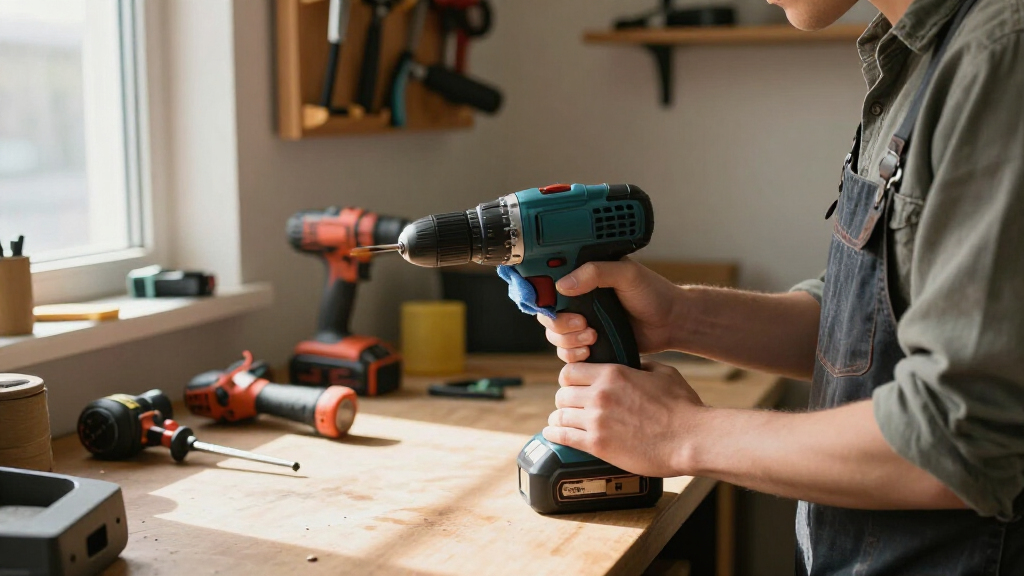
Cleaning cordless power tools properly means a monthly wipe-down, a vent check, and a five-minute damage inspection — the work takes about ten minutes and prevents the majority of mechanical failures. Dust is the silent killer here. Fine drywall and concrete dust packs into motor vents and chokes airflow like a clogged furnace filter. A motor that can’t breathe runs hot, and heat breaks down winding insulation and lubricant.
After any dusty job — cutting cement board, sanding drywall, drilling masonry — hit the vents with compressed air or a soft brush. Thirty seconds, done. And always unplug the battery before you clean anything. That’s not paranoia; that’s basic jobsite safety. A tool that spins up while your fingers are in the chuck will ruin your month.
Here’s what a proper inspection covers:
- Housing cracks — especially around the chuck and battery mount, where drops land the force
- Loose screws and fasteners — vibration backs them out constantly; tighten per the manual’s torque spec
- Chuck runout — spin the chuck by hand; wobble means a bent shaft or worn chuck jaws
- Cord and contact condition — green corrosion or blackened contacts on battery terminals
- Trigger response — a sticky or intermittent trigger is a switch on its way out
Keep blades and bits sharp, too. A dull blade forces the motor to work harder — more current draw, more heat, less runtime per charge. What looks like a “weak battery” is often a framing blade so dull it’s basically polishing the lumber. A fresh $15 blade brings the runtime right back.
Never use harsh solvents, and never immerse a tool or battery in water. A damp cloth and gentle brushes are all you need. Solvents attack housing plastics and can wick into the motor.
Use It Right: Why Overloading Kills More Tools Than Age Does
Using a cordless tool within its rated capacity is what separates a ten-year tool from a two-year tool — overloading, wrong-tool-for-the-job mistakes, and overheating account for more premature deaths than old age ever will. A compact 12V drill is not a hole hawg. Push it boring 2-inch holes in LVL and you’ll cook the motor, trip the thermal protection repeatedly, and kill the battery in the process.
Every tool has a rated capacity in its manual — max hole size in wood and steel, max fastener size, no-load RPM. Those numbers aren’t suggestions. When a job pushes past them, the right answer is a bigger tool, not more force.
Heat management matters just as much. During extended use — ripping sheet goods with a circular saw, driving lag bolts continuously — give the tool cooling breaks. Most modern tools have thermal cutoff protection that shuts them down, but hitting that cutoff repeatedly shortens motor life. If the housing is hot enough that you can’t hold your palm on it, stop. Get a coffee. Let physics do its thing.
Technique counts too:
- Let the tool reach speed before contact — starting under load spikes current draw
- Apply steady pressure, not brute force — forcing a bit bogs the motor and dulls the bit
- Use sharp, rated accessories — carbide-tipped blades and quality bits cut cooler
- Support your work — binding and kickback stress the tool and your wrists
Consider a typical scenario: a homeowner borrows a pro-grade impact driver to drive 5/16-inch lags into old-growth fir, continuous, for forty-five minutes. The tool survives — barely — because it has good thermal protection. A DIY-grade model would have been scrap. Know which class of tool you’re holding and work it accordingly.
Lubrication and Worn Parts: What to Grease and What to Replace
Lubrication and timely parts replacement keep a mechanical tool alive decades longer — greasing gearcases, replacing worn carbon brushes, and swapping tired chucks costs a fraction of replacement. Follow the manufacturer’s schedule in the manual; it exists because engineers measured when things actually wear out.
What gets lubricated and when:
| Component | Lubricate/Replace | Typical Interval |
|---|---|---|
| Gearcase (drills, hammer drills) | Manufacturer-specified gear grease | Every 12–24 months of regular use |
| Carbon brushes (brushed motors) | Replace when worn past spec line | Inspect yearly; replace at ~50% wear |
| Chuck (keyless) | Light machine oil on jaws if gritty | As needed |
| Blades and bits | Sharpen or replace when dull | Performance-based, not calendar-based |
| O-rings and seals (wet saws) | Replace per manual | Annually |
Here’s the nuance: brushless tools don’t have carbon brushes to replace, which is a big part of why they last longer. If your tool is brushed, pop the brush caps once a year and look. Brushes are usually a $10–15 part and a ten-minute swap — versus a $200 tool.
Gearcase grease matters most on hammer drills and impact drivers, where metal gears mesh under serious load. Old grease dries out, turns gritty, and starts acting like lapping compound — it grinds the gears down. Re-greasing a hammer drill gearcase takes twenty minutes and a tube of the OEM grease. A rotary hammer that gets fresh grease every winter can easily run past a decade.
One caution: don’t over-lubricate. Excess grease in the wrong place traps dust and migrates into places it shouldn’t be. More is not better. Use the specified amount.
Storage: Where Your Tools Spend 90% of Their Life Matters Most
Proper storage is about a dry, temperature-stable environment and organized protection — because your tools spend far more time stored than in use, and that downtime can quietly destroy them. Rust and corrosion don’t need a jobsite. They need one damp basement.
The rules are simple. Dry above all. Moisture corrodes contacts, rusts bare metal shanks, and wicks into windings. If your storage space feels humid, run a dehumidifier or add moisture absorber packs to the toolbox — a $10 fix for a $200 problem. Keep temperature reasonably stable, ideally above 50°F. Never leave batteries in a vehicle overnight in winter or summer; sub-freezing and triple-digit heat both damage lithium-ion chemistry.
Organization is protection, too. Tossing loose tools into a bucket means chucks, blades, and housings batter each other on every drive. Use the molded cases the tools came with, or a rack system that keeps them off the floor and away from splash zones.
Before long-term storage, run this quick routine:
- Clean the tool and blow out the vents.
- Remove the battery and store it separately at 40–60% charge.
- Check for damage you’d otherwise forget about by spring.
- Store in the case, in a dry, temperature-stable spot.
Newer platforms make some of this easier. Some manufacturers now ship packs with a storage or transport mode that optimizes cell health during downtime, and newer batteries include battery management systems (BMS) that monitor health and cut off before damage occurs. If your kit has those features, use them — but they’re a safety net, not a substitute for cool, dry storage.
When to Replace Instead of Repair: The Honest Math
Replace a cordless tool when repair cost exceeds half the replacement price, when the battery platform is discontinued, or when the tool shows structural damage — otherwise, small part replacements are usually worth it. Being honest about this math is where the most money gets saved.
Start with the symptom. Reduced runtime, overheating, or inconsistent power usually means the battery is done — not the tool. A new battery is often $60–120 and resurrects the tool completely. Physical damage to the housing, a smoking motor, or a dead trigger switch are different conversations.
The quick decision table:
| Symptom | Likely Fix | Worth It? |
|---|---|---|
| Short runtime, weak power | New battery | Almost always yes |
| Worn brushes, rough motor | $15 brush swap | Yes, on brushed tools |
| Cracked housing | Replace tool | No — structural risk |
| Dead platform/batteries NLA | Replace tool | Yes — sunk cost |
| Gritty gearbox | Re-grease | Yes, if caught early |
One more honest note from the contractor side: if you use a tool twice a year, don’t buy pro-grade — and for a one-off job like a full roof replacement or a slab demo, rent instead of buy. Rental-quality tools take abuse you’d never want your own fleet absorbing, and renting a $700 rotary hammer for $85 a day beats owning one that rusts in your garage.
Buy for the work you actually do, maintain what you own, and rent the outliers.
Frequently Asked Questions
Can I leave my cordless tool battery on the charger all the time?
Modern smart chargers stop delivering current when the pack is full, so you won’t technically overcharge it. But leaving a pack docked keeps it warm and at 100% charge, both of which slowly degrade lithium-ion cells. Pull the battery when it’s done charging — especially if the tool won’t be used for days.
How often should I charge my cordless tool’s battery?
Charge when the pack drops to around 20–30% capacity rather than running it to dead-zero. Frequent deep discharges shorten lithium-ion lifespan. For light use, that might mean charging after every job; for heavy use, swap packs mid-day instead of draining one completely.
What’s the best way to store cordless batteries over winter?
Store them at 40–60% charge, off the tool, in a cool dry space between roughly 50°F and 77°F — never in an unheated garage or a vehicle where they’ll freeze. Check the charge level every couple of months; a pack that self-discharges to near-zero over a long storage period takes permanent damage.
How do I know when a battery or tool needs replacing?
The classic signs are reduced runtime, overheating during normal use, physical damage like cracked housings or swollen cells, and inconsistent power under load. If runtime is the only problem, a new battery usually fixes it. If the motor smokes, sparks, or the housing is cracked, replace the tool — and a swollen battery goes to a recycling center immediately.
Should I clean my tools with solvents or water?
Neither. Harsh solvents attack the plastic housings and can wick into motor windings, and no tool or battery should ever be immersed in water. Use a damp cloth, a soft brush, and compressed air for vents — battery removed before you start, every time.
Are brushless tools really lower maintenance?
Yes — brushless motors eliminate carbon brushes entirely, which removes the most common wear item on cordless tools. You still need to clean vents, grease gearcases on drills and impact drivers, and care for the battery properly, but one whole maintenance category disappears.
Conclusion
Here’s the crisp version: your cordless tools will live or die by your battery habits and your storage conditions — not by the brand badge on the housing. Charge at 20–30%, store at 40–60%, keep everything cool, dry, and dust-free, and you’ll get years more service than an owner who leaves packs docked in a hot garage.
Put ten minutes on the calendar this weekend. Pull every battery, wipe every contact, blow out every vent. Do that monthly, and a decade from now you’ll still be driving screws with the drill you bought this year — while others are on their fourth.