
TL;DR

Get business pricing on tools and workshop supplies
- Business-only prices and quantity discounts
- Tax-exempt purchasing
- Multiple users, one account, clear invoices
A cordless impact driver combines rotational force with rapid hammering impacts to drive fasteners, but maximum torque alone does not tell you whether it suits a job. Use impact-rated accessories, seat fasteners with controlled speed, follow the fastener specification when torque matters, and inspect the tool, battery, and bits before work.
A long structural screw can go from stubborn to buried in a few seconds, and that speed is exactly why an impact driver deserves your attention. Its sharp rat-a-tat impacts can save your wrist on demanding fastening jobs, but they can also snap a bit, split a board, or leave a critical bolt too tight.
A cordless impact driver combines rotational force with rapid hammering impacts to drive screws and some bolts. You’ll get the most from it by matching the tool and accessory to the fastener, controlling the start and finish, and watching for heat or strain. These tips for using and maintaining a driver will help you work efficiently while spotting the jobs that call for a drill, a torque wrench, or a professional.
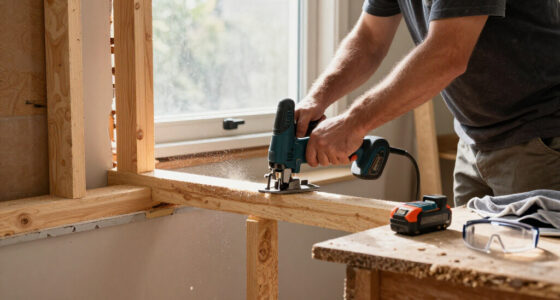
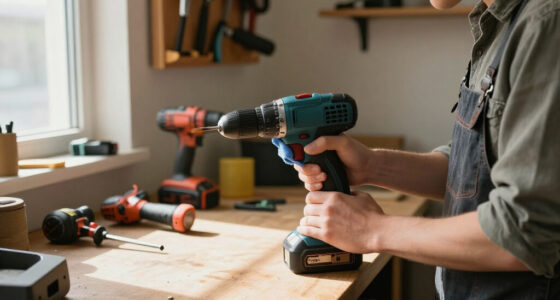
Think of the driver as a powerful helper with a quick temper: it responds well to a steady hand and a clear plan. Whether you’re fastening a timber frame or assembling a heavy workbench, a few checks before the trigger pull can protect the material, the tool, and you.
Choose a driver by its torque, speed, and duty-cycle specifications, then match it to the fastener and material.
Use correctly sized impact-rated bits, sockets, and adapters; replace any accessory that is rounded, cracked, or slipping.
Start slowly, keep the driver aligned, and stop when the fastener seats.
Use a calibrated torque tool and the specified procedure whenever a joint calls for a precise torque.
Keep batteries compatible, dry, and within the maker’s temperature guidance; stop using damaged packs or tools.
FIELD GUIDE / HEAVY-DUTY FASTENING
Drive with power.
Finish with control.
A cordless impact driver pairs rotation with rapid hammering impacts to move demanding fasteners. Match the tool and accessory to the job, start steadily, and stop when the fastener seats. For specified torque, follow the joint procedure and verify with a calibrated torque tool.
Set up for the work
Capacity, fit and material all affect how force reaches the fastener. A few deliberate checks prevent wasted effort and damaged work.
Choose for the duty cycle
Check torque, speed and duty-cycle specifications against the fastener and workload. A larger tool may sustain repeated heavy work, but brings extra weight and cost.
Fit impact-rated bits
Use the exact bit size and impact-rated sockets or adapters. A strong bit can still slip if its shape does not fit the fastener head securely.
Plan the pilot hole
Dense hardwood, metal and large fasteners may need a correctly sized pilot hole when the material or fastener maker recommends one.
Start slowly
Seat the bit before increasing speed. Keep the driver aligned, let the impact mechanism work, and ease off once the fastener seats.
Secure the setup
Clamp or support the workpiece, keep hands clear of the fastener path, and wear eye and hearing protection. A binding fastener can make the tool react suddenly.
Measure critical torque
Speed and assist modes can help with starts or repetitive work. They do not replace the specified procedure and a suitable calibrated torque tool.
Four moves for a clean drive
Use this sequence for a row of heavy screws. The goal is a straight start and a controlled finish.
Secure the work
Clamp or support the material and clear hands from the fastener path.
Seat the bit
Choose the correct impact-rated accessory and lock it fully into the collet.
Align and begin gently
Keep the tool square to the fastener. Increase speed only after the bit engages.
Stop at seating
Ease off as the head reaches the surface. Use the specified torque procedure if required.
Power is not precision
Think of the driver as a powerful helper with a quick temper: steady alignment and a clear stopping point matter.
CARE / BEFORE EACH RUN
Keep the tool ready
Wear changes how force transfers, while heat and battery condition affect performance. Inspect before heavy work and stop if the tool behaves abnormally.
Replace rounded, cracked, twisted or slipping accessories. Confirm adapters are impact-rated and properly seated.
Clear dust and debris with a dry or manufacturer-approved method. Keep liquids and metal filings out.
Use compatible packs and chargers. Keep packs dry and within maker temperature guidance; stop using damaged, swollen or leaking packs.
Stop using a cracked housing, abnormal noise or unreliable trigger. Follow the manual for service and repairs.
Recognize the warning signs
Performance changes can signal a setup problem, excess load or a tool that needs service.
Reduced performance, recurring overheating, stalling or unusual vibration can point to a depleted battery, worn accessory or excessive load. Record recurring symptoms and consult the manual or a qualified service provider.
Know which tool to reach for
Tool categories and capabilities vary by model. Check specifications before loading a setup.
Fasteners with a hex bit
Typically uses a ¼-inch hex collet for screwdriver bits and smaller fasteners. Some models accept hex-shank drill bits, with less drilling control than a drill/driver.
Controlled holes
Choose an appropriate drill for clean, controlled holes. Predrill when the material or fastener guidance calls for it.
Socket-driven fasteners
Typically uses square-drive sockets for larger nuts and bolts. Confirm the tool and socket ratings for the specific job.
Match the driver’s power to the fastener and material
Tips for using a cordless impact driver start with matching its torque, speed, and duty cycle to the fastener and material. Maximum torque tells you what a tool can deliver under certain conditions; it does not prescribe how tightly to fasten a particular joint. The distinction matters because the torque reaching a fastener changes with the joint, fastener, accessory, battery, and time spent driving. Check the tool manual and the fastener or equipment instructions before you start.
Imagine driving long structural screws into a dense hardwood header. A compact DIY driver might handle a few screws, but repeated high-load work can heat the motor and drain the battery quickly. A pro-grade brushless model may tolerate frequent work better, but it still needs the right bit, pilot hole, and rest breaks. The tradeoff is capacity versus cost and weight: a larger tool can sustain demanding work, but it may be tiring for lighter jobs and unnecessary for occasional use. If a single project demands hours of heavy fastening, renting a suitable tool can make more sense than buying one sized for occasional use.
Material changes the job. Dense hardwood, metal, and large fasteners often call for a pilot hole when the material or fastener maker recommends one. Without it, the screw may bind, split the wood, or force the driver to hammer until the bit slips. A pilot hole reduces the material the threads must displace, which can lower driving resistance and help keep the screw on course. It also takes time and must be sized correctly; an oversized hole can weaken the screw’s grip. Treat the pilot-hole guidance for the specific material and fastener as part of the joint design.
For a joint with a specified torque, don’t use the driver’s strongest mode as a substitute for measurement. Impact drivers are built to deliver repeated blows, and their output is not a precise reading of the clamping force in the joint. Follow the specified tightening procedure and check the result with an appropriate calibrated torque tool. Structural, electrical, gas, and roof work can carry code, permit, and life-safety requirements; use licensed professionals where required, and isolate power before working near electrical components.
Popular right now

Bose QuietComfort Wireless Bluetooth Headphones with Active Noise Cancellation, Mic, USB‑C Charging, Deep Bass, 24‑Hour Battery – White Smok

Bose QuietComfort Wireless Noise-Cancelling Over-Ear Headphones, Black

Apple AirPods Pro 3 Wireless Earbuds with Active Noise Cancellation
As an affiliate, we earn on qualifying purchases.
Choose bits and sockets that can take repeated impacts
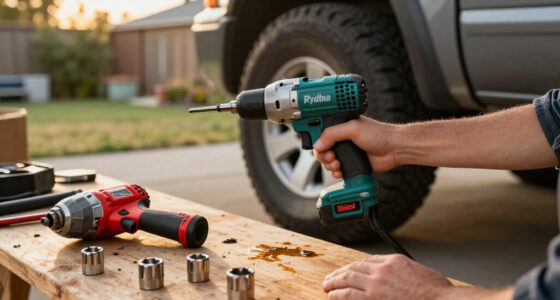
Impact-rated accessories are designed for the repeated loading an impact driver produces. Pick a bit that matches the fastener head exactly, and use impact-rated sockets and adapters where appropriate. Matching the head matters as much as the impact rating: a strong bit with a poor fit can still slip, wear the screw recess, and transfer sudden twisting force to your wrist. A standard bit may fit at first, then round off or snap under repeated hammering—usually at the moment you’re leaning over the workpiece.
For example, a slightly undersized Phillips bit may cam out of a screw head while you fasten a ledger board. That slip can scar the timber, damage the screw, and send the driver twisting in your hand. A clean-fitting bit lets its faces engage the screw recess more fully, reducing the chance that the bit rides out under load. If the bit wobbles in the screw or slips despite good alignment, stop and inspect it rather than pressing harder. More pressure rarely fixes a mismatch and can make the tool harder to control.
Check accessory condition before a heavy fastening run. Replace bits with rounded tips, cracks, or visible twisting, and discard sockets that no longer seat firmly. Wear changes the geometry that transfers force to the fastener, so a damaged accessory can turn a routine screw into repeated slips and wasted time. Keep the collet clean so it grips the hex shank securely; sawdust and metal filings can interfere with a proper fit.
Adapters add another failure point. A socket adapter can be handy when you need to drive a compatible nut or bolt, but it must be rated for impact use and suited to the fastener. Under repeated impacts, an unsuitable adapter may fracture or loosen, and a longer adapter adds leverage that can make a setup harder to control. An impact driver’s ¼-inch hex collet is not the same as an impact wrench’s square drive, and neither label guarantees a particular capacity. Check the tool and accessory specifications before loading the setup.
Start slowly and let the impact mechanism do the work
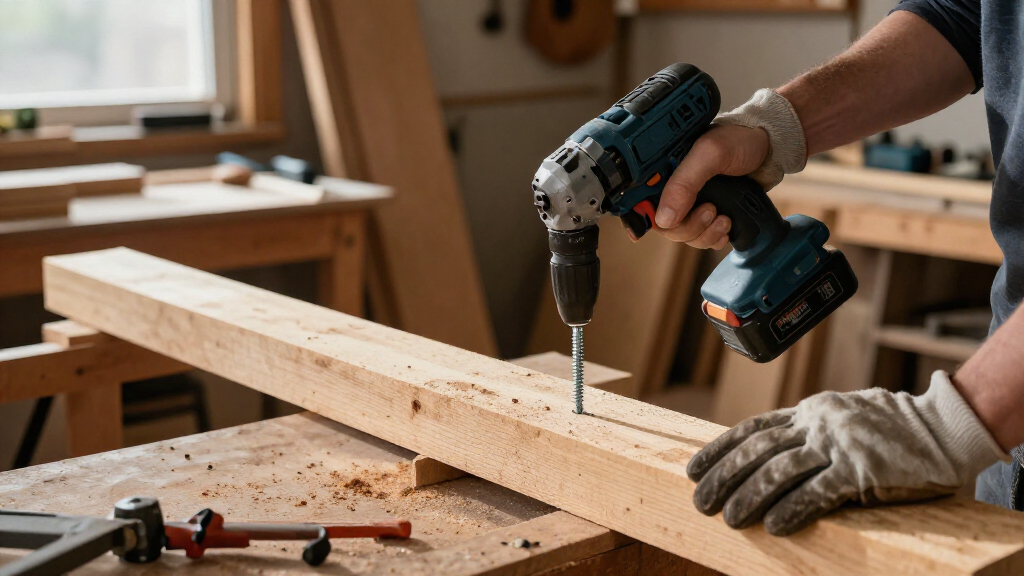
Start slowly, stay aligned, and ease off once the fastener seats. This gives the bit time to engage the head before the driver builds speed. It also gives you a chance to notice whether the screw is starting straight. Pressing harder usually does not improve fastening; it can increase the chance of slipping, damaging the workpiece, or breaking the bit.
Here’s a reliable sequence for a row of heavy screws:
- Secure the workpiece with clamps or proper support, and keep your hands clear of the fastener path.
- Choose the correct impact-rated bit and seat it fully in the collet.
- Align the bit with the fastener and start with a gentle trigger pull.
- Increase speed only after the bit engages, keeping the tool square to the surface.
- Stop when the fastener is seated; use the specified torque procedure if the joint calls for one.
Take a deck screw as an example. If you start at full trigger, the bit can skate across the head before the screw catches the wood. A slower start gives you a moment to feel the tool settle. The impacts then deliver the force, much like a hammer tapping a chisel forward while the motor keeps turning it. As the screw head reaches the surface, that same force can quickly compress or damage the material, so easing off at the right moment matters as much as getting the screw moving.
Wear eye and hearing protection, since fasteners can shed debris and impact drivers make sharp, repeated noise. The tool may react suddenly if the bit slips or a fastener binds, so keep a firm, stable grip and a balanced stance. If the driver kicks or stalls, release the trigger, inspect the setup, and find the cause before continuing. Repeatedly triggering a stalled tool can add heat and stress without moving the fastener.
Use modes carefully when speed and torque matter
Speed and assist modes can help control a fastener, but they don’t replace a torque wrench or the instructions for a critical joint. Models vary: some offer several speed levels, while others include features that reduce speed or stop the driver to limit screw damage. These settings change how the tool responds; they do not measure the final clamping force. Test an unfamiliar mode on scrap material before production work so you can see whether it seats the fastener cleanly in conditions like the actual job.
Consider a cabinet installer fitting long screws near a finished face frame. A high-speed mode may bury the head before the installer can react, while a lower setting provides more control during the start. On a repetitive run of identical screws, an assist mode may help reduce damage—but material density, screw length, and battery condition can change how it behaves. The tradeoff is speed versus time to react: a slower setting may take longer, but it gives you a wider margin to stop before the screw head damages a finished surface.
A simple comparison helps you choose a starting point:
| Job condition | Useful approach | Why it helps |
|---|---|---|
| Small screw or finished surface | Low speed or tested assist mode | Gives you more time to stop before damage. |
| Long screw in dense wood | Correct pilot hole, aligned bit, controlled start | Reduces binding and material strain. |
| Specified torque on a critical joint | Follow the stated procedure and verify with a calibrated torque tool | Impact drivers do not measure tightening torque precisely. |
Even a lower setting can overtighten a screw if you hold the trigger after it seats. Listen for the change in sound and watch the fastener head as it meets the surface, but use those cues to control ordinary screw driving rather than to infer an exact torque. When the job specifies a torque value, use the correct calibrated tool and procedure rather than judging by the driver’s sound or feel.
Keep batteries cool, compatible, and ready for the next run
Battery condition affects runtime and performance. A driver may feel weak or stop when the pack is depleted, too hot, or under excessive load. The battery supplies the energy for both rotation and impacts, so a demanding fastener can draw power quickly and heat the pack. Use a battery and charger approved for your tool platform, and follow the maker’s directions for charging, cooling, and storage.
On a cold morning, a battery that ran well indoors may deliver less work outside. A pack that has just powered a long run of structural screws may also need time to cool before charging. If the driver slows or stops, check the pack’s charge and temperature before blaming the motor; then check whether the bit is worn or the fastener is binding. Letting a hot pack cool may interrupt the job, but forcing it through repeated high-load cycles can shorten its useful life.
Keep batteries dry and protect their contacts from dirt and metal debris. Store them within the temperature range in the manual, and don’t use a pack that is swollen, leaking, cracked, unusually hot, or otherwise damaged. A damaged lithium-ion battery is not a workshop nuisance; stop using it and follow the manufacturer’s instructions for service or disposal. Metal debris across the contacts can also create an electrical short, so storage and handling affect both reliability and safety.
Runtime depends on more than the capacity number printed on a pack. Fastener size, material, temperature, battery age, and how often the driver works at high load all affect how many screws you can drive. For a long fastening session, having a compatible spare can keep work moving, but let a hot battery cool instead of cycling it straight onto the charger. More capacity can extend time between charges, though it also adds weight; choose a pack that balances runtime with control and comfort for the task.
Clean and inspect the driver before small faults turn costly
Routine inspection catches wear before it interrupts a job. Before use, check the bit, collet, battery contacts, housing, and trigger. These checks help reveal problems that affect how force reaches the fastener: a loose battery can interrupt power, a worn collet can let the bit move, and a damaged trigger can make speed harder to control. After work, clear dust and debris from the exterior and vents with a dry or manufacturer-approved method; keep liquids and metal filings out of the tool.
Suppose you’re fastening roof brackets and notice a new vibration. Stop and check for a bent or cracked bit, a loose battery, or debris around the collet. A change in feel is useful because it may appear before a fault becomes obvious, but vibration alone does not identify the cause. If the housing is cracked, the controls behave unpredictably, or the driver makes an abnormal noise, take it out of service and follow the manual’s repair guidance.
Don’t open the tool to lubricate or repair parts unless the manufacturer permits it. Many cordless tools aren’t designed for user disassembly, and a repair attempt can create a new fault or affect safe operation. Follow the manual’s service intervals and send the tool to an authorized repair service when it calls for internal work. External cleaning and inspection can prevent avoidable trouble, but they cannot confirm that internal components are safe or working correctly.
Make a short note when overheating, stalling, or unusual vibration keeps recurring. Record the fastener size, material, battery, and accessory in use. That small habit can show whether the job is overloading the driver, a bit keeps failing, or the tool needs service. Comparing the conditions helps distinguish a repeated setup problem from a tool fault, so you can address the cause instead of continuing to replace parts or push the driver harder. A pattern is easier to diagnose than a vague memory of the tool feeling “off.”
Know when a drill, impact wrench, or pro should take over
An impact driver is built for fastening, not every job that accepts a spinning tool. Some drivers can take hex-shank drill bits, but a drill/driver generally gives you more control for clean holes, larger bits, and tasks that need a clutch or precise speed. An impact wrench typically uses square-drive sockets and is intended for larger nuts and bolts, though capabilities vary by model. Choosing by the kind of control the job needs helps avoid fighting the tool: fastening tolerates repeated impacts, while drilling and torque-sensitive work often benefit from steadier rotation or measured tightening.
For instance, drilling a row of clean cabinet holes with an impact driver can leave you fighting the tool as it pulses through the material. A drill/driver gives a steadier rotation and better control. On a large machine bolt, a suitable impact wrench may fit the socket and workload better. Check each tool’s specifications instead of relying on the name alone; the wrong tool can damage the workpiece, accessory, or fastener even if it can physically turn it.
Heavy-duty fastening can also cross into work where a wrong connection has serious consequences. Structural framing, roof assemblies, gas fittings, and electrical equipment may require a licensed professional, permits, or a specific fastening procedure. In those jobs, the consequence of a failed connection outweighs the convenience of using the tool already on hand. Follow local code and the equipment maker’s instructions, and shut off and verify power before work near electrical components. Wear suitable PPE and use dust control when the job creates dust.
If you need an unusually powerful driver for one brief project, renting can be sensible. You avoid buying a tool that may sit unused, and a rental counter can help match the machine and accessories to the job. For repeated daily work, a pro-grade tool with a suitable duty cycle may earn its place; for occasional household repairs, a DIY-grade model may be enough. The choice balances purchase cost, workload, comfort, and how often the tool will be used.
Frequently Asked Questions
What’s the difference between an impact driver and an impact wrench?
An impact driver generally has a ¼-inch hex collet for screwdriver bits and smaller fasteners. An impact wrench usually accepts square-drive sockets and is designed for larger nuts and bolts. Check the specifications for the individual tools, since capacity varies.
Can I use an impact driver as a drill?
Some impact drivers accept compatible hex-shank drill bits, but a drill/driver offers better control for clean holes, larger bits, or work requiring a clutch. For a cabinet hole or careful pilot drilling, use the tool designed for controlled drilling.
Do I need special bits for an impact driver?
For repeated impact use, choose impact-rated bits sized to fit the fastener head. Ordinary bits can wear or break under repeated loading. Replace any bit that looks rounded, cracked, twisted, or slips during use.
How do I stop the driver from stripping screws or damaging wood?
Use the right bit, keep it aligned, start slowly, and stop when the fastener seats. A pilot hole can reduce splitting and binding in dense or split-prone material. Test assist or lower-speed modes on scrap before using them on finished work.
Can an impact driver overtighten a fastener?
Yes. The driver can keep tightening after a fastener feels seated, especially at high speed. Use a suitable lower mode where appropriate, then follow the specified tightening procedure and verify with a calibrated torque tool if the application requires a set torque.
Conclusion
Before your next heavy fastening run, match the driver and accessory to the job, make a controlled start, and check the battery and tool for wear. If the connection specifies torque—or carries structural, electrical, gas, or roof risks—follow the required procedure and bring in a licensed professional where needed.
A good impact driver should sound like steady work, not a struggle: tap, turn, seat. Keep it that way, and the fastener ends up where it belongs.