TL;DR

Get business pricing on tools and workshop supplies
- Business-only prices and quantity discounts
- Tax-exempt purchasing
- Multiple users, one account, clear invoices
A cordless impact driver is a compact, battery-powered tool that drives screws and other fasteners with rapid bursts of rotational force. It is especially useful for long deck or construction screws, while a drill/driver gives you better control for precise holes and delicate fastening. Choose by task, battery compatibility, handling, and control features, and use impact-rated bits.
A long screw can turn a simple afternoon repair into a wrist-wrenching contest. A cordless impact driver changes the feel of that job: instead of leaning harder on a drill, you hear a quick rat-a-tat as the tool sends short bursts of rotational force into the fastener.
This guide explains what an impact driver is, where it shines, and where a drill or impact wrench is the smarter choice. You’ll also get practical buying and safety advice, from choosing impact-rated bits to keeping control when a screw meets a knot in the wood.
Use an impact driver for long or resistant screws; choose a drill/driver for accurate holes and more controlled general work.
Check battery-platform compatibility before buying a bare tool, and compare the batteries, charger, and bits included in a kit.
Use impact-rated bits, keep them aligned, and start slowly to reduce stripped heads and damaged materials.
A brushless motor can improve efficiency and runtime, but handling and control features should match your actual projects.
Use an appropriately rated impact wrench for larger nuts and bolts, and leave regulated or high-risk work to qualified professionals.
What a cordless impact driver does when a screw fights back
A cordless impact driver is a battery-powered tool for driving screws and other fasteners with rapid bursts of rotational force called impacts. Most models hold bits in a ¼-inch hex collet, so you can swap driver bits quickly without opening a chuck. Those repeated taps help the tool turn demanding fasteners while reducing the steady twisting force you feel in your hand. That does not mean the fastener needs no guidance: the tool still needs to stay in line, and its repeated impacts can make it harder to sense exactly how close a screw is to overdriving.
That’s the answer to what an impact driver does: it turns stubborn fastening into a series of short rotational hits. Imagine fitting a six-inch structural screw into a dense joist. A standard drill may slow down and twist in your grip, while an impact driver keeps tapping the screw forward. Keep the bit aligned and let the tool do the work; forcing it sideways invites a stripped head. The benefit shows up most when resistance is high and the fastener is long enough for a drill to bog down. For a small screw, that same force can be a liability: the head may strip or the screw may sink too far before you react.
A cordless impact driver is a powered tool for fastening, not a universal replacement for every tool in your kit. Some models accept compatible hex-shank drill bits, but a drill/driver usually gives you broader bit compatibility and better control for clean, accurate holes. If your project means hanging shelves and drilling pilot holes, one tool may not cover both jobs equally well. The drill’s chuck holds a wider range of bit shapes, and its smoother rotation makes it easier to keep a hole straight and judge progress. Using an impact driver for drilling can work in a pinch, but the extra impacts offer little benefit in many holes and can make delicate material harder to control.
The mechanism brings tradeoffs. Impacts can make a driver loud and abrupt, and the force can split thin trim or strip a small screw. On a cabinet hinge, start gently and keep the bit seated; for repeated work, use hearing protection when appropriate and check your material before driving. The practical rule is to reserve impact action for fasteners that need it, then switch to a drill or hand tool when precision and feedback matter more than speed.
Popular right now
Dyson Car+Boat Cordless Handheld Vacuum

TCL 65 Inch QM8L Series SQD-Mini LED QLED 4K Smart Google TV

Hisense 65-inch U6 Pro Mini-LED 4K UHD Smart Fire TV
As an affiliate, we earn on qualifying purchases.
Pick a drill, impact driver, or wrench for the fastener
Choose a drill/driver for holes and controlled screwdriving, an impact driver for demanding screws, and an impact wrench for heavier nuts and bolts. Their jobs overlap a little, but their bit holders and control feel differ. Picking the right one can save a screw head, a workpiece, and a frustrating trip back to the shop. The distinction matters because each tool gives you a different balance of force, precision, and compatible attachments; choosing by appearance or power alone can lead to a damaged fastener or a tool that cannot hold the accessory you need.
| Tool | Best for | Trade-off |
|---|---|---|
| Drill/driver | Accurate holes and controlled screwdriving | May struggle with long, high-resistance screws |
| Impact driver | Driving long or larger fasteners quickly | Less precise for delicate fastening and many drilling jobs |
| Impact wrench | Removing and tightening larger nuts and bolts | Heavier-duty tool, often with a square drive |
A drill’s chuck grips many round- and hex-shank bits, and its clutch can limit torque when you drive screws. An impact driver’s common hex collet makes bit changes quick, but it generally lacks the same clutch feel. When you’re assembling a flat-pack bookcase, a drill’s clutch may help keep small screws from crushing particleboard. A clutch also makes repeated fastening more consistent: once set, it can disengage at a chosen resistance rather than relying entirely on your trigger finger. That convenience has limits, since different screw sizes and materials may need different settings, but it offers useful feedback on delicate jobs.
For a deck, the impact driver often makes more sense. For precise shelf-pin holes, reach for the drill. And don’t treat an impact driver as a lug-nut tool: use an appropriately rated impact wrench for vehicle wheel work, then follow the vehicle maker’s guidance for final tightening. A wrench’s greater capacity suits larger fasteners, but that force can damage threads or over-tighten a wheel if used without the specified procedure. Matching the tool to the job is therefore about managing the consequences of its force as much as getting the fastener to move.
Buy for your projects, not the biggest torque number
The right cordless impact driver is the one you can control comfortably on the fasteners you actually use. Battery compatibility, handling, speed control, and bit quality often tell you more about day-to-day usefulness than a single advertised torque figure. Manufacturer figures may use different measurement methods and won’t predict every job. A high number can suggest capacity, but it does not tell you how easily the tool will drive a particular screw in your material, how controllable it feels, or whether you can comfortably hold it for a full afternoon.
Start with the battery platform. Batteries and chargers often work only within a manufacturer’s tool system, so a bare tool can be a bargain if you already own compatible packs and a mistake if you don’t. Compare the kit contents: a first-time buyer may get more practical value from a package with a charger, battery, case, and useful bits. The cost of a tool-only model can look low until you add the battery and charger; conversely, a kit may duplicate equipment you already own. Check compatibility and included items before comparing prices so you compare the cost of a usable setup.
Grip the tool if you can before buying. A compact, balanced model is easier to place inside a cabinet or hold overhead while you drive a short screw. A heavier tool with a large battery may feel fine at a workbench but tiring when you’re installing a row of ceiling-mounted brackets. Weight and balance affect more than comfort: fatigue can make it harder to keep the bit square, which raises the chance of slipping or damaging the screw head. If you cannot try the tool in person, compare its weight with battery attached and consider the spaces where you expect to use it.
Also check for a variable-speed trigger and useful control modes. Recent models often add brushless motors, smaller bodies, and electronic settings; brushless designs can improve efficiency and runtime, but the word alone does not guarantee a better fit. If you’re hanging a gate with long screws, driving capacity and battery performance matter. If you’re building drawer boxes, low-speed control matters more. Control modes can help limit speed or impact for certain tasks, but they do not replace choosing the correct bit, setting the tool square, and watching the fastener as it seats.
Use impact-rated bits for repeated impact driving. An ordinary bit may fit the collet, but repeated hits can wear or break it sooner. A well-fitting bit that sits squarely in the screw head can prevent stripping better than simply buying a more powerful tool. Bit fit is part of the system: a poor match loses contact under load, so added power can make the problem happen faster rather than solve it.
Drive screws cleanly with five simple checks
To drive screws cleanly, match the bit to the fastener, keep the tool square, start slowly, and stop once the screw seats. Control beats brute force when the material is thin or the screw is small. These checks take seconds, but they can prevent a damaged screw head or a split board. Each one reduces a different cause of failure: a mismatched bit slips, a crooked tool cams out, a hard start can split wood, and continuing after the head seats can bury or break the fastener.
- Choose the right bit. Match the drive type and size; replace a worn tip that rocks in the screw head.
- Set the fastener straight. Hold the driver in line with the screw so the bit does not climb out under load.
- Start with a light trigger. Let the screw bite before you increase speed, especially in softwood or trim.
- Watch the material. Stop when the head seats; don’t keep hammering into a thin panel or finished face.
- Use a pilot hole when the project calls for one. A drill/driver is usually the better choice for accurate pilot holes.
Say you’re fastening a narrow cedar board to a gate frame. Driving too fast can bury the head and split the board near its edge. A pilot hole and a slow start give you more control. If a screw keeps stripping, check the bit fit, alignment, speed, and fastener choice before blaming the tool. A pilot hole can reduce the force needed to drive the screw and give the wood room to accommodate it, especially near an edge; use a size and depth appropriate to the screw and material rather than assuming every fastener needs one.
Impact drivers can be loud, particularly during sustained work. Use hearing protection when appropriate, secure the workpiece, and keep hands clear of the fastener path. These precautions matter because the tool can start turning suddenly and its noise builds over repeated use. For electrical work, turn off power at the breaker and verify the circuit is de-energized before touching wiring; hire a licensed electrician when the job involves wiring, service panels, or code questions.
Know when a drill or rental tool will serve you better
An impact driver makes the most sense when you drive fasteners often or tackle long, resistant screws; a drill/driver is a more versatile first tool for mixed household jobs. You do not need both for every toolbox. The decision depends on the work ahead, not on owning the largest collection of batteries. Think about how frequently the difficult fastening comes up: a tool that saves time on one deck may sit unused for years after a single repair, while a drill can cover a wider range of small household tasks.
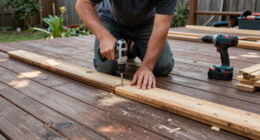
If you’re mounting curtain rods, drilling a few holes, and assembling furniture, a drill/driver may handle the whole weekend. If you’re building a deck with row after row of long screws, an impact driver can save time and reduce the wrist-twisting feel of the job. Many DIYers keep both because one drills while the other drives, which cuts down on bit changes. That convenience is most valuable when the same project repeatedly switches between holes and screws; for a short job, changing bits may be less costly than buying and storing another tool.
For a single heavy project—say, anchoring many large fasteners into masonry or handling stubborn automotive hardware—consider whether a rental tool better fits the job. A hammer drill or impact wrench may suit the task, but neither is interchangeable with an impact driver. Check the fastener and material specifications, and don’t improvise with an under-rated tool. Renting can avoid a purchase for an occasional specialized task, but only if you can confirm the tool, accessory, and method match the work. If the requirements are unclear, pause and get the product or project guidance before applying force.
Keep the boundary clear for high-risk work. Structural changes, gas work, roofing, and electrical work can involve serious hazards and local code or permit requirements. Use a licensed professional where required, follow the relevant safety steps, and don’t assume a cordless tool makes a regulated job safe or compliant. For ordinary fastening around the house, the best upgrade may simply be a sharp bit and a slower trigger finger. This distinction helps keep tool advice in proportion: a driver can make a fastening step easier, but it cannot establish that a project is structurally sound or safe to perform.
Frequently Asked Questions
What is a cordless impact driver used for?
It drives screws and other fasteners, especially long or resistant ones, using short bursts of rotational force. For example, it can be handy when fastening deck boards with long screws. Use a drill/driver when you need accurate holes or more controlled general drilling.
Can an impact driver drill holes?
Some models accept compatible hex-shank drill bits and can drill certain holes. A drill/driver usually works better for clean, precise holes and gives you broader bit compatibility. For a shelf bracket, use the drill to make the pilot hole, then choose the right driver for the screw.
Do I need both a drill and an impact driver?
No. A drill/driver is often the better first tool for mixed household jobs because it drills and drives with more control. If you frequently drive long construction screws, owning both lets you drill with one and fasten with the other.
Can I use regular screwdriver bits in an impact driver?
A regular bit may fit if it has the correct hex shank, but impact-rated bits are a better choice for repeated impact use. They are designed for that job and are less likely to wear or break as quickly. Replace any bit that slips or no longer fits the screw head well.
Is an impact driver the same as an impact wrench?
No. Impact drivers commonly use a ¼-inch hex collet and focus on screws and similar fasteners. Impact wrenches commonly use a square drive and are built for larger nuts and bolts; use an appropriately rated wrench for lug nuts.
Why does my impact driver keep stripping screws?
Common causes include a worn or mismatched bit, poor alignment, excessive speed, or a screw that does not suit the material. Start slowly, keep the bit seated, and stop when the head sits flush. For delicate work, a drill/driver with a clutch may give you better control.
Conclusion
Remember the simple split: drill holes with a drill, drive stubborn screws with an impact driver, and use a wrench for larger nuts and bolts. Match the tool to the fastener, start slowly, and keep the bit square.
When the screw bites and the tool settles into its quick, even chatter, you’ll know the job is working with you instead of against you.