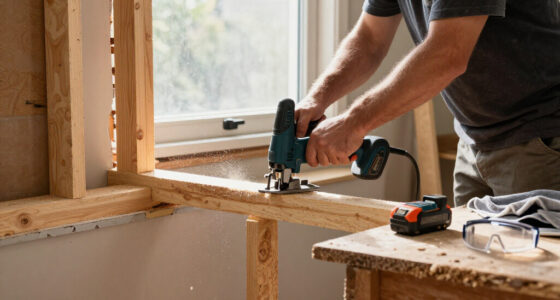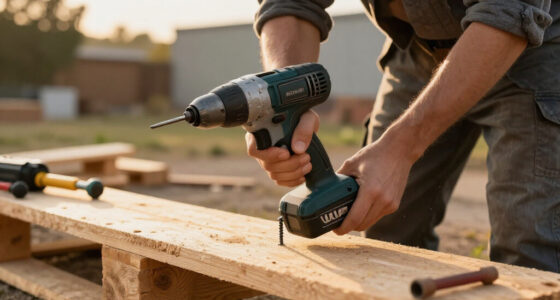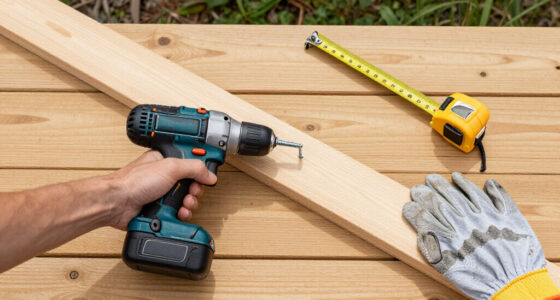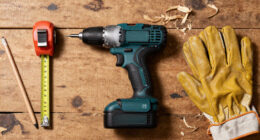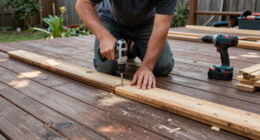
Use this guide to set up a cordless impact driver and drive a screw or compatible bolt without damaging the fastener or work surface. It is written for beginners who can handle a power tool but have not used an impact driver before. Allow 15-30 minutes for setup and practice on scrap material.

Get business pricing on tools and workshop supplies
- Business-only prices and quantity discounts
- Tax-exempt purchasing
- Multiple users, one account, clear invoices

DEWALT 20V MAX Impact Driver, 1/4 Inch, Battery and Charger Included (DCF787D1)
- ✔ Platform: 20V MAX
- ✔ Motor: Brushless
- ✔ Drive: 1/4-inch hex
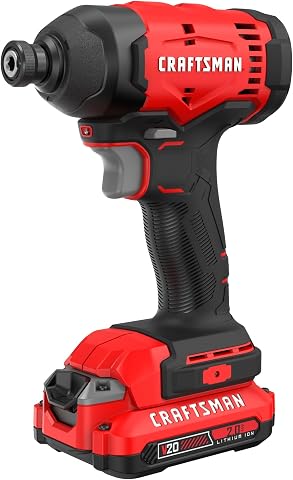
CRAFTSMAN Cordless 1/4 Impact Driver with 2 Ah Lithium Ion Battery, Charger and PH2 Screwdriving Bit, LED Light, High Torque, Var…
- ✔ Platform: 20V V20
- ✔ Drive: 1/4-inch impact driver
- ✔ Maximum torque: Up to 1,800 in-lbs.

DEWALT 20V MAX Cordless Drill and Impact Driver (DCK240C2)
- ✔ Platform: 20V MAX
- ✔ Tools: Drill/driver and impact driver
- ✔ Driver torque: Up to 1,400 in-lbs. (description)
Difficulty: Beginner | Time: 15-30 minutes
What You’ll Need
Tools & Materials:
- Cordless impact driver with a charged battery
- Impact-rated driver bit or socket that fits the fastener
- Screw or compatible bolt
- Workpiece, preferably scrap material for practice
- Clamps or another way to secure the workpiece
- Safety glasses and hearing protection
Knowledge:
- How to identify the driver’s trigger, forward/reverse selector, and bit holder
- How to secure a workpiece before drilling or fastening
Check the tool manual for its controls, supported accessories, and operating limits. An impact driver is designed mainly for fastening; it is not a substitute for a drill when you need precise holes. Use only impact-rated bits and sockets for impact driving.
DEWALT 20V MAX Impact Driver, 1/4 Inch, Battery and Charger Included (DCF787D1)
The DCF787D1 earns our top spot as the most direct match for shoppers seeking a cordless impact driver rather than a mixed-tool bundle. Its brushless motor is intended to improve runtime and durability compared with brushed designs, and the compact body is aimed at fastening in tighter spaces. DEWALT lists 1,500 in-lbs. of torque and up to 2,800 rpm, giving buyers a clear set of output figures for general screw and bolt work.Unlike the DCK240C2, this package does not add a drill, but it includes a 2Ah battery, charger, and belt hook, so it can be used as a focused driver kit. Its LED stays on for 20 seconds after trigger release, which can help when positioning a fastener in a dim corner. The tradeoff is a single battery: buyers doing long runs may want a spare, while the CRAFTSMAN CMCF801D1 lists higher torque and rpm. The supplied listing’s battery-capacity details conflict in places, so we rely on the included-battery description and its stated 2Ah pack rather than the separate 1.3Ah field.
Pros:
- Brushless motor is designed for runtime and durability.
- Compact format suits work in tight areas.
- Includes a 2Ah battery, charger, and belt hook.
- 20-second LED delay provides brief after-trigger illumination.
Cons:
- Only one battery is included.
- CRAFTSMAN lists higher torque and no-load speed.
- Does not include a drill for drilling tasks.
Best for: Buyers who want a compact, brushless DEWALT impact driver kit with a battery and charger included.
Not ideal for: Shoppers who need a drill in the same package, multiple batteries for continuous work, or the highest stated torque in this comparison.
Bottom line: For a focused driver purchase, the DCF787D1 balances a brushless motor and a ready-to-use kit better than the combo-focused DCK240C2.
“For a focused driver purchase, the DCF787D1 balances a brushless motor and a ready-to-use kit better than the combo-focused DCK240C2.”
CRAFTSMAN Cordless 1/4 Impact Driver with 2 Ah Lithium Ion Battery, Charger and PH2 Screwdriving Bit, LED Light, High Torque, Var…
For buyers who put the largest listed torque and speed figures first, the CMCF801D1 makes the strongest paper case in this group. CRAFTSMAN specifies up to 1,800 in-lbs. and 2,900 rpm, exceeding the DCF787D1’s listed 1,500 in-lbs. and 2,800 rpm. A variable-speed trigger gives the user control over acceleration, which can help start screws more carefully before applying more power.The kit includes a 2Ah battery, charger, and PH2 bit, plus a quick-release chuck for one-handed bit changes. CRAFTSMAN also claims up to 120 fasteners per charge; actual results depend on fastener size, material, battery condition, and technique. Compared with the DEWALT DCK240C2, this is a more dedicated driver package, but it does not provide a second battery or drill. The listed weight is 4.1 pounds, so buyers prioritizing a lightweight feel should compare it closely with the compact DEWALT DCF787D1. VERSATRACK compatibility may help organize a compatible workshop, though the necessary accessories are sold separately.
Pros:
- Highest stated torque in this comparison at 1,800 in-lbs.
- Highest listed no-load speed at 2,900 rpm.
- Includes a 2Ah battery, charger, and PH2 bit.
- Variable-speed trigger and quick-release chuck support controlled fastening.
Cons:
- Only one battery is included.
- No drill is bundled with the driver.
- VERSATRACK clips and accessories are sold separately.
Best for: DIYers who want the highest stated torque and speed figures here, with variable speed and a 2Ah battery in the kit.
Not ideal for: Buyers who need a second battery, a drill, or a compactness-first choice supported by a stated brushless motor.
Bottom line: The CMCF801D1 suits buyers drawn to its higher listed output, while the DCF787D1 is the more compelling choice for a stated brushless motor.
“The CMCF801D1 suits buyers drawn to its higher listed output, while the DCF787D1 is the more compelling choice for a stated brushless motor.”
DEWALT 20V MAX Cordless Drill and Impact Driver (DCK240C2)
The DCK240C2 is the practical choice when an impact driver is only half the shopping list. The bundle pairs a 1/4-inch impact driver with a 20V MAX drill/driver, two batteries, a charger, and a contractor bag. That combination can cover pilot holes and other drilling alongside screw and bolt fastening, saving buyers from assembling two separate tool purchases. Its compact design and integrated LED lights are positioned for tight or dim work areas.As an impact-driver pick alone, however, it trails the standalone kits in the supplied figures: the driver is listed at 1,400 in-lbs. of torque, compared with 1,500 for the DCF787D1 and 1,800 for the CRAFTSMAN. The kit description’s 300 UWO figure refers to the drill’s power specification, so we should not mistake it for the driver’s torque. It also includes two 1.3Ah batteries according to the item details, smaller in capacity than the 2Ah packs listed for the other kits. Choose this set for tool versatility and a second battery; skip it if your priority is a dedicated driver with higher stated output or brushless construction, which the supplied description does not specify.
Pros:
- Includes both a drill/driver and impact driver.
- Two batteries and a charger are included.
- Compact tools are designed for difficult-to-reach spaces.
- Integrated LEDs have a 20-second delay.
Cons:
- Lower listed driver torque than both standalone-driver options.
- Batteries are listed as 1.3Ah each.
- The product’s chief advantage is the combo, not impact-driver specialization.
Best for: New homeowners and DIYers who need both a drill and impact driver, plus two batteries and a carrying bag.
Not ideal for: Buyers seeking the highest stated driver torque, a specified brushless motor, or larger-capacity batteries.
Bottom line: Choose the DCK240C2 when a drill is part of the job; for impact driving as the sole priority, the DCF787D1 or CMCF801D1 is a closer fit.
“Choose the DCK240C2 when a drill is part of the job; for impact driving as the sole priority, the DCF787D1 or CMCF801D1 is a closer fit.”
As an Amazon Associate we earn from qualifying purchases.
Before You Start
Wear safety glasses and hearing protection. Tie back long hair and secure loose clothing. Remove the battery before changing accessories or inspecting the bit holder. Clamp the workpiece so it cannot shift, and keep your free hand away from the fastener and bit. Do not use the tool near flammable liquids, in wet conditions, or on a fastener whose material or location may conceal wiring, plumbing, or other hazards.
Check whether the fastener and material are compatible. For a long screw, dense wood, or a delicate surface, practice first on scrap and consider drilling a pilot hole with a drill. Follow the fastener maker’s directions where available.
Step-by-Step Instructions
Step 1: Inspect the driver and battery
Set the forward/reverse selector to the center lock position, then check the driver, battery, and bit holder for visible damage. Fit a charged battery according to the manual. Keep the selector locked until you are ready to use the tool.
Tip: Do not use a cracked battery, damaged tool, or loose accessory. Stop if the tool smells burnt, makes an unusual noise, or becomes unusually hot.
Check: The battery is seated securely, the tool shows no visible damage, and the trigger remains locked while the selector is centered.
Step 2: Choose and fit the right bit
Match the bit to the screw head or the socket to the bolt. Choose the correct size and shape so it sits fully in the fastener. Use an impact-rated accessory, then insert it into the bit holder until it locks in place. Pull the accessory gently to check that it is retained.
Tip: A bit that is too small, worn, or poorly seated can slip, strip the screw head, or damage the work surface.
Check: The bit or socket fits the fastener snugly, sits straight in the holder, and does not pull free when tugged lightly.
Step 3: Set the direction and control the workpiece
Set the selector to forward to drive a screw or tighten a compatible fastener. Set it to reverse only when loosening. Clamp the workpiece firmly and mark the fastening point. Hold the driver by its handle with a balanced stance, keeping the bit aligned with the fastener.
Tip: If your driver has speed or mode settings, start with the gentlest suitable setting. Check the manual to learn what each setting does.
Check: The workpiece cannot shift easily, forward is selected for driving, and you can hold the driver straight with both hands clear of the bit.
Step 4: Start the fastener slowly
Place the bit squarely into the screw head or onto the bolt. Apply steady forward pressure and squeeze the trigger gently to start. Keep the driver in line with the fastener as it begins to turn. If the bit slips or the fastener starts at an angle, release the trigger and reset it before continuing.
Tip: Do not force a screw that resists immediately. Check the bit fit, direction, material, and whether a pilot hole is needed.
Check: The fastener turns straight, the bit remains engaged, and the workpiece stays in place.
Step 5: Drive the fastener to the right depth
Continue with controlled trigger pressure while maintaining alignment. As the screw head approaches the surface, ease off and release the trigger when it is seated. For a bolt, stop when it is snug according to the fastener or project instructions; do not keep driving to test the tool’s force. Let the tool stop fully before lifting it away.
Tip: Impact drivers can deliver substantial force. Avoid burying a screw head in the material or overtightening a bolt. Use a manual torque wrench when a specified torque is required.
Check: The fastener is straight and seated to the intended depth, with no visible cracking, stripped head, or damaged surface.
Step 6: Check the result and put the tool away
Inspect the fastener and surrounding material. If it needs adjustment, release the trigger, let the driver stop, and select reverse to loosen or reposition it. When the task is complete, center the selector to lock the trigger, remove the battery before changing accessories, and store the driver and bits safely.
Tip: Do not touch a bit or socket immediately after extended use; it may be hot.
Check: The fastener is secure and undamaged, the tool is switched off and locked, and accessories are stored without exposed sharp edges.
Common Mistakes to Avoid
- Using a worn, incorrect, or non-impact-rated bit. — Match the accessory to the fastener, inspect it for wear, and use an impact-rated bit or socket.
- Holding the driver at an angle or letting the bit slip. — Seat the bit fully, keep the tool aligned with the fastener, and use steady pressure. Stop and reset if it slips.
- Driving too fast or too far and damaging the material. — Practice on scrap, use a gentle setting if available, and release the trigger as the fastener reaches its intended depth.
- Trying to drill a precise hole with the impact driver. — Use a drill and the appropriate drill bit for holes; use the impact driver for compatible fastening tasks.
Troubleshooting
Problem: The bit slips or the screw head begins to strip.
Solution: Release the trigger and stop. Check that the bit type and size match the screw, inspect the bit for wear, and align it squarely. Replace a damaged screw or bit before trying again.
Problem: The screw will not start or stops partway through.
Solution: Check that forward is selected and the workpiece is secured. Confirm the screw is suitable for the material and that the bit is seated. For dense material or a long screw, make a pilot hole with a drill if the project allows.
Problem: The fastener goes in crooked.
Solution: Stop as soon as you notice the angle. Use reverse to remove it, inspect the entry point, and restart with the bit square to the surface. Replace a bent or damaged fastener.
Problem: The tool does not run.
Solution: Lock the trigger, check that the battery is charged and seated, and inspect the forward/reverse selector. Consult the manual if the tool still does not operate; do not open or repair the battery yourself.
What Success Looks Like
The task is complete when the screw or compatible bolt is straight, secure, and seated to the intended depth; the fastener head and surrounding material show no damage; and the tool is locked and stored safely. Where the project specifies a torque value, verify it with an appropriate torque wrench rather than relying on the impact driver alone.
Next Steps
Practice on scrap with different screw lengths and materials to learn how lightly to press the trigger. After each use, remove dust from the tool and accessories, check bits for wear, and recharge or store the battery according to its manual. For a project that requires precise holes, use a drill; for fasteners with a specified torque, use a torque wrench to check the final setting.
Frequently Asked Questions
Can I use an impact driver as a drill?
Use a drill for ordinary holes and work that needs precise control. Some impact drivers accept a compatible hex-shank drill bit, but check the tool manual and bit instructions before doing so. An impact driver may not produce the smooth, controlled hole a drill provides.
Do I need special bits?
Use impact-rated driver bits and sockets when driving with an impact driver. They are made for impact forces. Match the size and shape to the fastener to reduce slipping and damage.
How do I avoid overtightening?
Start on a gentle setting if the tool has one, use light trigger pressure near the end, and stop once the fastener reaches the intended depth or snugness. Follow project instructions; check specified bolt torque with a torque wrench.
When should I drill a pilot hole?
Consider a pilot hole for long screws, dense wood, or material that may split. Use a drill and a bit suited to the screw and material, and follow the fastener maker’s guidance. Practice on scrap if you are unsure.